Embarking on an underwater photography adventure with a waterproof case opens up a world of stunning visuals previously inaccessible. This guide, ‘how to shoot underwater with waterproof case’, will equip you with the knowledge to capture breathtaking images beneath the waves. From understanding your equipment to mastering essential shooting techniques and post-processing, we will delve into every aspect to ensure your underwater photographic endeavors are both successful and rewarding.
We will explore the intricacies of selecting the right waterproof case, preparing your camera and gear meticulously, and applying fundamental photography principles in an aquatic environment. Furthermore, we will discuss the critical role of lighting and accessories, and how to bring your underwater images to life through effective post-processing. Finally, maintaining your equipment will be covered to ensure longevity and continued performance for all your future dives.
Understanding Waterproof Camera Cases
Embarking on underwater photography adventures requires specialized equipment to protect your valuable camera from the harsh marine environment. A crucial piece of this equipment is a waterproof camera case, designed to create a watertight seal and allow your camera to function safely beneath the surface. These cases are not merely protective shells; they are sophisticated enclosures engineered to maintain camera operability and image quality.The market offers a diverse range of waterproof camera cases, catering to different camera types and user needs.
Understanding these options is the first step in selecting the right gear for your underwater excursions. The construction of these cases also plays a vital role in their performance and durability, with specific materials chosen for their resilience and ability to withstand water pressure.
Types of Waterproof Camera Cases
Waterproof camera cases are broadly categorized based on the type of camera they are designed to accommodate. This specialization ensures a precise fit, maintaining access to essential controls and optical clarity.
- Universal Waterproof Pouches: These are typically made from flexible, clear plastic and are designed to fit a wide range of compact digital cameras or smartphones. They offer basic water resistance for shallow depths and are suitable for casual use like snorkeling or beach photography.
- Dedicated Underwater Housings: These are specifically engineered for particular camera models, whether they are DSLRs, mirrorless cameras, or advanced compacts. They are typically made from rigid polycarbonate or aluminum and provide full access to camera controls via external buttons and dials that connect to the camera’s internal mechanisms.
- Action Camera Housings: For cameras like GoPros or similar action cameras, dedicated waterproof housings are often included with the camera or available as accessories. These are usually made from robust polycarbonate and are designed to withstand impacts and deep dives.
Materials Used in Waterproof Case Construction
The choice of materials significantly impacts a waterproof case’s durability, depth rating, and overall performance. Manufacturers select materials that can withstand water pressure, corrosion, and the rigors of underwater use.
- Polycarbonate: This is a common material for dedicated housings due to its excellent impact resistance, optical clarity, and affordability. It’s a strong, transparent plastic that allows for clear viewing of the camera’s LCD screen and the underwater scene.
- Aluminum: For professional-grade housings, especially for DSLRs and mirrorless cameras, anodized aluminum is often used. Aluminum offers superior strength, durability, and heat dissipation compared to polycarbonate, making it ideal for deep dives and demanding professional use. It also provides a more premium feel and finish.
- Acrylic: While less common for the main body of housings, acrylic is sometimes used for flat port windows or dome ports, offering good optical clarity.
- Silicone and Rubber: These materials are crucial for seals, O-rings, and buttons. High-quality silicone and rubber ensure a watertight seal and provide tactile feedback for camera controls.
Primary Functions and Benefits of Waterproof Cases
The primary purpose of a waterproof camera case is to safeguard your camera from water damage, but its benefits extend to enhancing your underwater photography experience.
- Water Protection: The most obvious benefit is preventing water from entering the camera body, which would otherwise lead to irreparable damage. This protection extends to protection from dust, sand, and other environmental contaminants.
- Pressure Resistance: Cases are designed to withstand the hydrostatic pressure at specific depths, preventing water from being forced into the housing.
- Enhanced Camera Control: Dedicated housings often feature external buttons, dials, and levers that allow full control over your camera’s settings underwater, enabling creative control over exposure, focus, and white balance.
- Optical Clarity: The lens ports on housings are made from high-quality optical glass or plastic to ensure minimal distortion and maximum light transmission, preserving image sharpness and color accuracy.
- Durability and Protection: Beyond water, these cases offer protection against bumps, drops, and scratches, extending the lifespan of your camera.
Key Features to Consider When Selecting a Waterproof Case
Choosing the right waterproof case is paramount for a successful and enjoyable underwater photography experience. Several key features should be evaluated to ensure compatibility, functionality, and safety.
- Camera Compatibility: Ensure the case is specifically designed for your camera model. A poor fit can compromise the seal and access to controls.
- Depth Rating: This indicates the maximum depth the case can safely withstand. Always choose a case with a depth rating significantly greater than your intended diving depth for a safety margin.
- Material and Construction: Consider the materials used, as discussed above, and the overall build quality. Robust construction and reliable seals are essential.
- Control Access: Verify that the case provides access to all the camera functions you need, including aperture, shutter speed, focus, and shooting modes.
- Lens Port: For interchangeable lens housings, ensure the port system is compatible with your lenses and offers good optical quality. For compact camera housings, check the clarity and any potential for distortion from the integrated lens port.
- Ergonomics and Handling: A good housing should be comfortable to hold and operate, with well-placed controls. Some housings also offer accessory mounts for external strobes or video lights.
- Maintenance and Sealing: Understand the O-ring maintenance requirements. Regular cleaning and lubrication of O-rings are critical for maintaining a watertight seal.
Preparing Your Camera and Case for Underwater Use
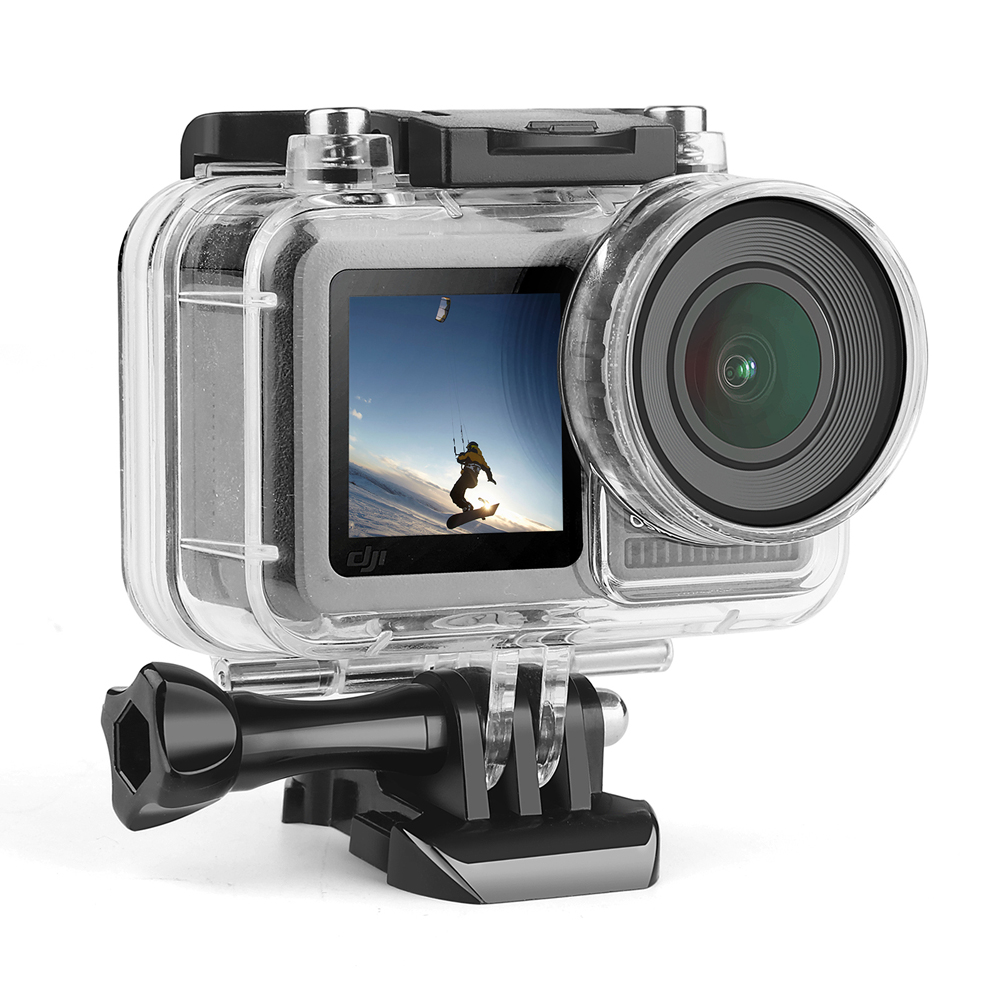
Before embarking on your underwater photographic journey, meticulous preparation of both your camera and its waterproof case is paramount. This stage ensures optimal performance and, more critically, the safety of your equipment. Taking the time for these preparatory steps will significantly reduce the risk of water damage and allow you to focus on capturing stunning underwater imagery.Proper preparation involves a series of checks and actions designed to safeguard your camera from moisture ingress and ensure the case itself is ready for the challenging aquatic environment.
This includes cleaning, securing components, and performing vital tests to confirm the integrity of the waterproof seal.
Camera Preparation Before Placing in Case
Ensuring your camera is in optimal condition before it enters the waterproof housing is crucial. This involves removing anything that could interfere with the seal or become damaged by water.
- Clean the Camera Body: Gently wipe down the exterior of your camera with a dry, lint-free microfiber cloth. Pay special attention to any areas around buttons, ports, or battery compartments that might trap moisture or debris.
- Remove Accessories: Detach any external lenses, filters, or grips that are not designed for underwater use. These can create obstructions or compromise the case’s seal.
- Check Battery and Memory Card: Ensure your battery is fully charged and your memory card has sufficient space. A low battery or full card can interrupt your shooting session and may require opening the case prematurely.
- Disable Auto-Focus Assist Lamps: These small lights can sometimes interfere with the camera’s operation or drain the battery unnecessarily inside the case.
- Secure Loose Parts: Ensure that any movable parts on the camera, such as strap attachments or lens caps, are securely fastened or removed to prevent them from snagging or damaging the case.
Sealing the Waterproof Camera Case
The integrity of the waterproof case’s seal is the single most important factor in protecting your camera. A precise and careful sealing process is essential.
- Inspect the O-ring: The O-ring, typically a rubber gasket, is the primary barrier against water. Carefully examine it for any nicks, tears, or debris. If it appears damaged, it must be replaced before use. Ensure it is clean and free from sand, hair, or other foreign particles.
- Apply Silicone Grease (if recommended): Some manufacturers recommend a thin, even application of silicone grease to the O-ring. This helps create a better seal and prevents the O-ring from drying out or cracking over time. Use only the manufacturer-recommended lubricant.
- Position the Camera: Carefully place your prepared camera inside the case, ensuring it sits correctly and does not obstruct the sealing surfaces.
- Close the Case Systematically: Follow the manufacturer’s instructions precisely for closing the case. This often involves aligning specific points and applying pressure evenly. Do not force any latches or clips.
- Secure All Latches and Clips: Once the case is closed, meticulously check that all latches, clips, and locking mechanisms are fully engaged and secure. A partially closed latch is a common cause of leaks.
Checking Seals and Performing a Water Test
Before submerging your camera in deep water, it is imperative to confirm the case is watertight. This pre-submersion test is a critical safety measure.
“A proactive water test is the most reliable method to ensure your camera and its housing are ready for underwater adventures.”
A simple yet effective test can be performed as follows:
- Dry Run Inspection: After sealing the case, visually inspect all edges and closures again. Look for any gaps or misalignments.
- The Tissue Test: Place a dry piece of tissue paper inside the empty, sealed waterproof case. Submerge the case in shallow, calm water (like a bathtub or sink) for a few minutes. Remove the case, dry the exterior thoroughly, and then open it to check the tissue. If the tissue is dry, the seal is likely intact. If any moisture is present, re-examine the O-ring and closure points.
- Shallow Water Test: For a more thorough test, take the sealed case with a camera inside (or just the empty case with tissue) to a shallow body of water, such as the edge of a pool or a calm beach area. Submerge it for a short period, keeping it within easy reach. Retrieve it, dry it off, and inspect for any signs of water ingress.
Managing Internal Condensation
Condensation can form inside the waterproof case due to temperature changes, similar to how moisture forms on a cold glass. This can obscure your lens and potentially affect your camera.
“Temperature differentials are the primary culprits behind internal condensation, requiring proactive management.”
Effective strategies to mitigate condensation include:
- Desiccant Packs: Place silica gel or other desiccant packs inside the waterproof case. These absorb moisture from the air within the housing. Ensure they are replaced or recharged as needed.
- Temperature Acclimatization: Before sealing the case, allow both the camera and the case to adjust to the ambient temperature of the environment where you will be shooting. Avoid sudden transitions from a very cold environment to a warm, humid one, or vice versa.
- Ventilation (when not in use): If you are not actively shooting and the case is not sealed for submersion, open it periodically in a dry environment to allow any trapped moisture to dissipate.
- Anti-Fog Inserts: Some specialized anti-fog inserts can be placed inside the lens port of the housing to help prevent fogging on the lens itself.
- Minimize Opening: Once sealed and submerged, avoid opening the case unnecessarily, as this introduces ambient moisture and temperature changes.
Essential Underwater Shooting Techniques
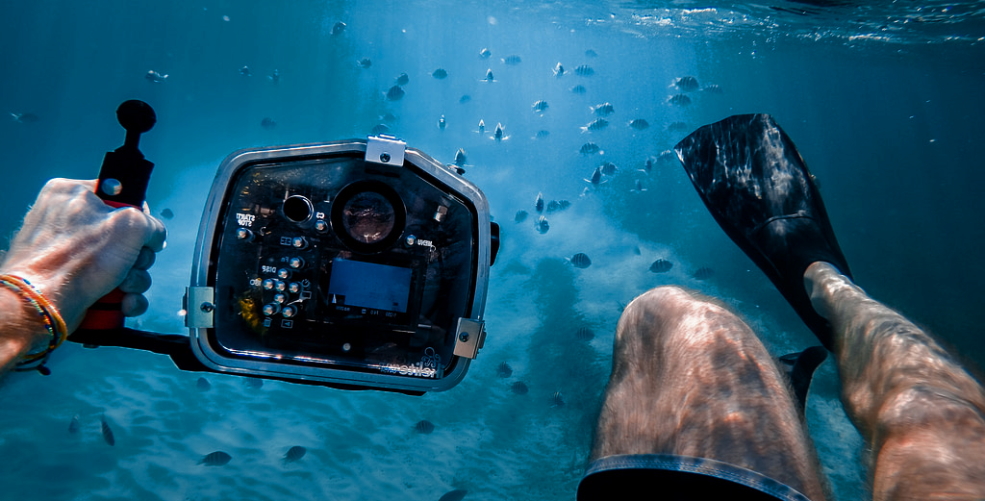
Mastering underwater photography involves more than just a waterproof case; it requires adapting your shooting techniques to the unique challenges and opportunities of the aquatic environment. This section delves into the core principles that will elevate your underwater images from snapshots to compelling visual narratives. We will explore how to compose your shots effectively, manage the limited and often challenging light, achieve sharp focus, and combat common underwater photography issues like backscatter and motion blur.Understanding these techniques will empower you to capture the vibrant life and serene beauty of the underwater world with confidence and artistry.
Underwater Composition Fundamentals
Creating visually appealing underwater photographs relies on applying established photographic composition rules, adapted for the three-dimensional, light-limited environment below the surface. The goal is to guide the viewer’s eye and convey a sense of depth, scale, and the subject’s story.
- Rule of Thirds: Imagine dividing your frame into nine equal sections by two horizontal and two vertical lines. Placing your subject or key elements along these lines or at their intersections often creates a more balanced and engaging composition than centering the subject. For instance, positioning a curious fish slightly off-center allows the viewer’s eye to explore the surrounding environment.
- Leading Lines: Utilize natural elements within the underwater scene, such as coral formations, the edge of a wreck, or schools of fish, to draw the viewer’s eye towards your main subject. A diver’s outstretched arm or the gentle curve of a reef can effectively lead the viewer into the image.
- Framing: Use foreground elements to create a natural frame around your subject. This could be the arch of a coral reef, the opening of a cave, or even the silhouette of another diver. Framing adds depth and context to your photograph.
- Subject Isolation: When possible, simplify the background to make your subject stand out. This can be achieved by getting closer to your subject, using a wider aperture (if your case allows), or by positioning yourself so that the background is a uniform color or texture, such as open water.
- Negative Space: The empty areas in your photograph can be just as important as the subject itself. Strategic use of negative space, like the vastness of the blue ocean, can emphasize the solitude or smallness of a subject, creating a powerful emotional impact.
Achieving Proper Exposure and Managing Light
Underwater light behaves very differently from light in air. Water absorbs and scatters light, particularly the red and orange wavelengths, leading to a blue cast and reduced contrast. Effective exposure and light management are crucial for accurate and vibrant underwater images.
Understanding Light Absorption
Water absorbs light at different rates depending on the wavelength. Red light is absorbed first, followed by orange, yellow, and green. Blue light penetrates the deepest. This means that without artificial light, colors will appear muted and shift towards blue as you go deeper.
Exposure Control Strategies
- Use a Wider Aperture: If your camera and case allow for aperture control, using a wider aperture (smaller f-number) lets in more light, which is beneficial in darker underwater conditions. This can also help in isolating your subject by creating a shallower depth of field.
- Adjust Shutter Speed: A faster shutter speed freezes motion but requires more light. A slower shutter speed allows more light but risks motion blur. Balancing these is key, especially when dealing with moving subjects.
- ISO Sensitivity: Increasing the ISO makes your camera sensor more sensitive to light, allowing for faster shutter speeds or smaller apertures in low-light situations. However, higher ISO settings can introduce digital noise, which degrades image quality.
- White Balance: Auto white balance can struggle underwater. Many cameras offer underwater white balance presets, or you can manually set it if you know the approximate depth and water conditions. Alternatively, shooting in RAW format allows for more flexibility in adjusting white balance during post-processing.
Artificial Light Sources
For vibrant colors and to combat the blue cast, especially at depth, external lighting is often necessary.
- Strobes (Underwater Flashes): These provide powerful bursts of light that can restore colors and add sparkle to your images. They are essential for serious underwater photography. Position them away from the lens to minimize backscatter.
- Video Lights: Continuous lights are useful for both still photography and video. They provide a constant light source, allowing you to see the effect of the light before taking the shot. They are generally less powerful than strobes but are easier to manage.
“The true challenge of underwater photography is not capturing an image, but capturing the light and color that water steals.”
Accurate Underwater Focusing Methods
Achieving sharp focus underwater can be challenging due to reduced visibility, subject movement, and the refractive properties of water. Employing specific focusing techniques will significantly improve the clarity of your images.
- Get Closer to Your Subject: The closer you are to your subject, the less water there is between your lens and the subject, which improves visibility and reduces the chance of focus errors. This is particularly important for small subjects.
- Utilize Autofocus (AF) Points: Learn how to select and move your camera’s AF points to ensure they are precisely on your intended focus area, usually the eyes of a creature. Many cameras allow you to select a single AF point for greater precision.
- Manual Focus: In very low light or when tracking erratic subjects, manual focus can sometimes be more reliable. However, it requires practice and a good understanding of your camera’s focus ring or zoom controls.
- Focus Stacking (Advanced): For macro photography of stationary subjects, taking multiple shots with slight focus adjustments and then combining them in post-processing can achieve a greater depth of field and ensure the entire subject is in sharp focus.
- Focus Lock: If your camera has a focus lock feature, you can pre-focus on a subject at a specific distance and then recompose your shot. This is useful when the subject is not directly in front of you but at a known distance.
Minimizing Backscatter and Improving Image Clarity
Backscatter refers to the small particles (plankton, sediment) in the water that are illuminated by your flash and reflected back into the lens, appearing as distracting white or colored dots in your image. Minimizing backscatter is crucial for clean, professional-looking underwater photos.
- External Lighting Placement: The most effective way to combat backscatter is to position your strobes or video lights away from the camera lens, ideally to the sides. This creates an angle where the light illuminates the subject but not the particles directly in front of the lens. Experiment with different arm lengths and angles.
- Get Closer: As with focusing, the less water between your lens and the subject, the fewer particles there are to cause backscatter. This reinforces the importance of approaching your subject carefully and respectfully.
- Shoot in Clearer Water: When possible, choose dive sites or times of day with better visibility. Calm conditions generally lead to less suspended sediment.
- Post-Processing: While prevention is best, some minor backscatter can be reduced using noise reduction or spot healing tools in photo editing software. However, overdoing this can lead to an unnatural look.
- Avoid Direct Flash: If using your camera’s built-in flash, it is almost always positioned directly behind the lens, making backscatter inevitable. If your case allows access to the built-in flash, try to diffuse it or avoid using it altogether if you have external lights.
Capturing Sharp Images of Moving Underwater Subjects
The dynamic nature of underwater life means that many subjects will be in motion. Capturing sharp images of these subjects requires a combination of fast reflexes, appropriate camera settings, and understanding their behavior.
- Anticipate Movement: Observe your subject’s behavior. Many fish will dart away when they feel threatened or disturbed. Try to predict their movements and position yourself accordingly. Patience is often rewarded.
- Use a Fast Shutter Speed: This is the most critical setting for freezing motion. For small, fast-moving fish, shutter speeds of 1/250 second or faster are often necessary. For larger, slower creatures, 1/125 second might suffice.
- Continuous Shooting (Burst Mode): Many cameras have a burst mode that allows you to take a rapid sequence of photos by holding down the shutter button. This increases your chances of capturing a sharp image at the peak of action or when the subject is momentarily still.
- Follow Focus: If your camera has it, use continuous autofocus (AF-C or Servo AF) which will track a moving subject as long as you keep the AF point on it. This is especially useful for tracking larger, predictable movements.
- Proper Technique: When shooting moving subjects, try to keep your camera steady and smooth. If possible, brace yourself against a stable object like a reef or rock. Smooth panning with the subject can also help, though this is more advanced and often used for video.
- Be Aware of Your Buoyancy: Maintaining excellent buoyancy control is paramount. Uncontrolled movements can startle subjects and cause your own camera to shake, both of which lead to blurred images.
Lighting and Accessories for Underwater Photography
Underwater photography presents unique challenges for capturing compelling images, particularly concerning light. Understanding how light behaves underwater and utilizing the right accessories can significantly elevate the quality of your shots, transforming ordinary scenes into extraordinary visuals. This section delves into the critical aspects of lighting and essential gear that will enhance your underwater shooting experience.
Post-Processing Underwater Images
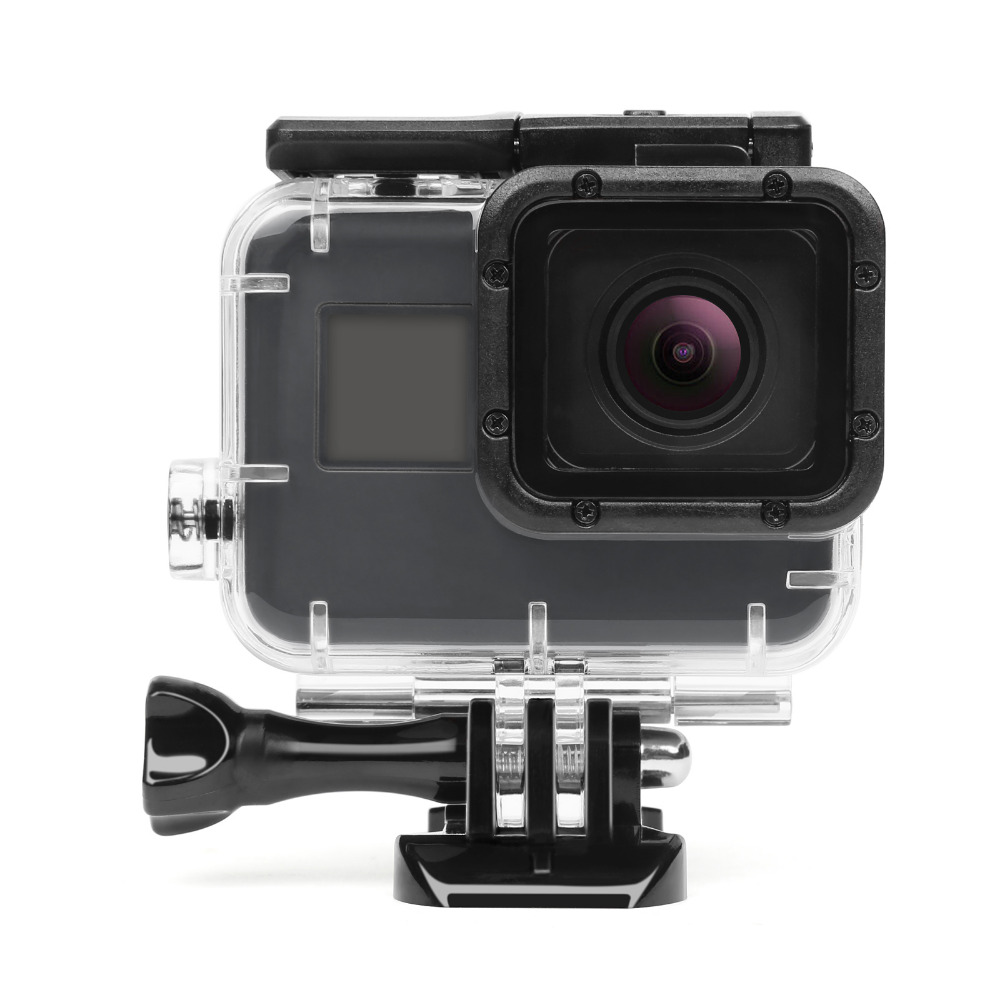
Underwater photography presents unique challenges that often require significant post-processing to bring out the best in your images. The water acts as a natural filter, absorbing colors and reducing contrast, especially at depth. Therefore, mastering post-processing techniques is crucial for transforming your raw underwater shots into stunning, vibrant photographs. This section will guide you through the essential adjustments and workflows to enhance your underwater captures.
White Balance and Color Correction
Water significantly affects color rendition, with red and orange hues being absorbed first, leading to a blue-green cast. Correcting this is paramount. White balance adjustments aim to neutralize this color cast and restore the natural colors of the scene.
The process typically involves:
- Setting a Custom White Balance: If your camera allows, setting a custom white balance underwater using a white slate or gray card is the most effective method. This tells your camera what “white” looks like in the current lighting conditions.
- Adjusting White Balance in Post-Processing: In your editing software, you’ll use the white balance tools. Often, this involves selecting a neutral gray or white area in the image to set the balance. Alternatively, you can use sliders for temperature (blue/yellow) and tint (green/magenta) to fine-tune the color.
- Color Channel Adjustments: Sometimes, specific color channels (Red, Green, Blue) may need individual adjustments to further refine the color balance and bring back lost vibrancy.
- Saturation and Vibrance: Once the white balance is corrected, you can selectively increase saturation (the intensity of all colors) or vibrance (which targets less saturated colors, preventing over-saturation of already vibrant tones) to restore the colors that were diminished by the water.
Enhancing Contrast and Sharpness
Underwater images often suffer from reduced contrast due to light scattering and absorption by water. Sharpness can also be compromised by the refractive properties of water and the presence of particulate matter.
Key techniques for improving contrast and sharpness include:
- Contrast Adjustments: Use the “Contrast” slider to increase the overall difference between light and dark areas. For more nuanced control, employ the “Levels” or “Curves” adjustment layers. “Curves” offer the most flexibility, allowing you to precisely adjust specific tonal ranges. A common technique is to create an “S-curve” to boost contrast without crushing blacks or blowing out highlights.
- Clarity and Dehaze: Many editing programs offer “Clarity” and “Dehaze” sliders. Clarity increases mid-tone contrast, adding a sense of “punch” to the image, while Dehaze effectively removes atmospheric haze and improves contrast, which is particularly useful for underwater shots.
- Sharpening Filters: Apply sharpening judiciously. Over-sharpening can create halos and artifacts. Tools like “Unsharp Mask” or “Smart Sharpen” allow control over the amount, radius, and threshold of sharpening. It’s often best to apply sharpening as a final step, and sometimes selectively to areas that need it most, like the eyes of a subject.
- Local Adjustments: Use tools like dodge and burn (or their digital equivalents in layers) to selectively lighten or darken specific areas, further enhancing contrast and drawing attention to your subject.
Removing or Reducing Noise in Low-Light Underwater Shots
Low-light conditions underwater often force photographers to use higher ISO settings, which can introduce digital noise. Noise appears as grainy or speckled artifacts, detracting from image quality.
Effective noise reduction strategies involve:
- Noise Reduction Tools: Most editing software includes dedicated noise reduction tools. These typically have sliders for “Luminance” noise (grain) and “Color” noise (color speckles). It’s important to use these tools subtly, as excessive application can lead to a loss of detail and an unnatural, “painterly” look.
- Selective Noise Reduction: Apply noise reduction selectively to areas where it is most problematic, such as dark shadows or smooth gradients, while preserving detail in textured areas.
- Noise Reduction in RAW Files: If shooting in RAW format, it’s generally recommended to apply noise reduction to the RAW file before converting it to other formats, as RAW files contain more image data, allowing for more effective noise reduction.
- Shooting Techniques to Minimize Noise: While post-processing can help, the best approach is to minimize noise during shooting. This includes using the lowest possible ISO, maximizing available light (using strobes or video lights), and ensuring proper exposure.
Workflow for Editing a Series of Underwater Photographs
Editing a series of underwater images consistently requires a structured workflow to maintain a cohesive look and save time.
A recommended workflow includes:
- Import and Organize: Import all your images into your editing software (e.g., Adobe Lightroom, Capture One). Use s, ratings, and color labels to organize your shots and identify the best ones.
- Batch Editing (Global Adjustments): Select a representative image from your series and apply initial global adjustments. This includes setting the white balance, correcting exposure, adjusting contrast, and making initial color corrections.
- Synchronize Settings: Once you are satisfied with the edits on your representative image, synchronize these settings across all similar images in the series. This ensures consistency in basic adjustments.
- Individual Refinements: Review each image individually. Make specific adjustments for exposure, white balance, or color if needed, as lighting conditions can vary even within a short dive. Apply local adjustments for contrast, sharpness, and noise reduction as necessary.
- Cropping and Straightening: Crop images to improve composition and straighten horizons, which are often challenging to keep level underwater.
- Final Touches: Apply final sharpening and any lens corrections. Export your images in the desired format and resolution.
“The goal of post-processing is not to create an artificial image, but to reveal the true beauty that was captured, overcoming the limitations imposed by the underwater environment.”
Maintaining Your Waterproof Case and Camera
Proper care and regular maintenance of your waterproof camera case and the camera within are paramount to ensuring its longevity and, more importantly, its continued watertight integrity. Neglecting these steps can lead to costly repairs or the loss of your equipment. This section will guide you through the essential procedures to keep your underwater setup in optimal condition.Adhering to a consistent maintenance schedule not only preserves the functionality of your gear but also provides peace of mind, allowing you to focus on capturing stunning underwater imagery.
By understanding the nuances of cleaning, inspection, and storage, you can significantly extend the lifespan of your investment.
Waterproof Case Cleaning and Maintenance Procedures
Thorough cleaning after each underwater excursion is crucial to prevent salt, sand, and other debris from compromising the seals and functionality of your waterproof case. A systematic approach ensures that no critical area is overlooked.The cleaning process should begin immediately after exiting the water.
- Rinse the exterior of the case thoroughly with fresh, lukewarm water. Avoid using high-pressure water jets, as they can force water past seals if there are any minute imperfections. Pay close attention to the housing edges, buttons, and O-ring grooves, where debris tends to accumulate.
- Gently wipe down the exterior with a soft, lint-free cloth. For stubborn grime, a mild, non-abrasive soap can be used, but it must be rinsed off completely.
- Carefully open the case and remove the camera. Inspect the interior of the case for any moisture or debris. If any moisture is detected, dry the interior thoroughly with a clean, dry, lint-free cloth.
- Clean the O-ring and the O-ring groove meticulously. Use a soft, lint-free cloth or a cotton swab to remove any particles. Never use sharp objects to clean the O-ring or groove, as this can cause damage. A tiny amount of silicone grease specifically designed for O-rings can be applied sparingly to keep it pliable and ensure a good seal, but only if recommended by the manufacturer.
Ensure the O-ring is properly seated before closing the case.
- Dry all external surfaces of the case and camera with a soft, lint-free cloth.
Waterproof Case Inspection for Wear or Damage
Regular and thorough inspection of your waterproof case is vital for identifying potential weaknesses before they lead to a catastrophic failure. This proactive approach can save your camera from water damage.Before and after each use, perform a detailed visual and tactile inspection.
- Examine the O-ring for any signs of nicks, cuts, abrasions, tears, or embedded debris. A damaged O-ring is the most common cause of leaks.
- Inspect the O-ring groove for any scratches, dents, or foreign matter that could prevent a proper seal.
- Check all latches, hinges, and locking mechanisms for signs of bending, cracking, or wear. Ensure they operate smoothly and securely.
- Look for any cracks, deep scratches, or signs of delamination on the case body, especially around ports and buttons.
- Verify that all buttons, dials, and controls move freely and return to their original position without sticking.
- Inspect any external lenses or filters for scratches or damage that could affect image quality.
A damaged O-ring is the most critical component to inspect; even a tiny imperfection can compromise the entire seal.
Best Practices for Storing Waterproof Cases and Cameras
Proper storage is essential for maintaining the condition of your waterproof case and camera, ensuring they are ready for your next underwater adventure. Incorrect storage can lead to material degradation and potential seal failures.Store your equipment in a cool, dry environment, away from direct sunlight and extreme temperatures.
- Ensure the case is completely dry before storing it.
- Store the case with its latches open or loosely closed, especially if it has a robust O-ring. This prevents the O-ring from being compressed for extended periods, which can lead to permanent deformation and a loss of sealing ability.
- If the case has been greased, ensure no excess grease attracts dust or debris.
- Keep the camera inside the case during storage if it’s designed for it, as this helps maintain the shape of the case and protects the camera.
- Avoid stacking heavy objects on top of the case, as this can cause damage or deformation.
- Store the case in a protective bag or its original packaging to prevent dust and scratches.
Importance of Regular Maintenance for Water-Tightness
The continued water-tightness of your waterproof case is not an inherent, permanent state; it is a result of diligent and regular maintenance. Neglecting these practices can lead to a gradual compromise of the seals.Regular maintenance ensures that all components of the case are functioning optimally to prevent water ingress.
- A clean O-ring and groove guarantee a perfect seal, preventing water from entering the housing. Debris can create pathways for water to seep through.
- A pliable and well-seated O-ring provides the necessary compression to create a watertight barrier. Drying and occasional light greasing help maintain this pliability.
- Functional latches and buttons ensure that the case is securely closed and that all controls can be operated without compromising the seal.
- Inspecting for wear and damage allows for timely replacement of parts before they fail, averting potential leaks.
- Proper storage prevents long-term compression of seals and protects materials from environmental degradation.
Conclusion
By mastering the techniques and understanding the nuances of shooting underwater with a waterproof case, you are now well-prepared to explore the vibrant depths and capture its beauty. From selecting the perfect case and preparing your gear to executing stunning shots and refining them in post-processing, this comprehensive guide has provided you with the tools for success. Remember that consistent practice and proper equipment maintenance are key to unlocking the full potential of underwater photography, allowing you to share the magic of the underwater world with clarity and artistry.