Embark on a visual journey to master the art of capturing breathtaking beach scenes with perfectly balanced colors. This guide delves into the unique challenges and rewarding techniques required to translate the vibrant beauty of coastal landscapes into stunning photographs.
We will explore the intricacies of beach lighting, from the harsh glare of midday sun to the soft hues of golden hour, and understand how atmospheric conditions can influence color perception. Essential camera settings, the strategic use of light, fundamental color theory, and precise post-processing methods will all be covered to ensure your beach images are as vivid and true to life as the scenes themselves.
Understanding Beach Scene Challenges for Color Balance

Capturing the vibrant essence of a beach scene can be a rewarding experience, but it also presents unique challenges for achieving balanced colors. The interplay of light, water, sky, and atmosphere can dramatically influence how your camera perceives and records hues. Understanding these factors is the first step towards creating stunning, color-accurate beach photographs.The dynamic environment of a beach constantly shifts, making consistent color reproduction a complex task.
From the blinding glare of midday sun to the soft pastels of sunrise, each lighting condition demands a different approach to color management. Recognizing and adapting to these environmental influences is key to mastering beach photography.
Common Beach Lighting Conditions Affecting Color
The intensity and quality of light at the beach are primary drivers of color challenges. The open expanse of the sky and the reflective nature of sand and water amplify these effects, often leading to overly bright or color-cast images if not managed properly.
- Midday Sun: Direct, harsh sunlight creates strong highlights and deep shadows. This intense light can “blow out” colors, leading to a loss of detail and vibrancy, and can also cause the camera’s white balance to shift towards cooler tones, making whites appear bluish.
- Sunrise and Sunset: These periods offer warm, golden light that can be beautiful but also challenging. The low angle of the sun bathes the scene in reds, oranges, and yellows, which can overwhelm the camera’s automatic white balance, leading to an overly warm cast if not corrected.
- Overcast Skies: Diffused light on cloudy days provides softer shadows and more even illumination. However, overcast conditions often introduce a cool, blue cast, making the scene appear muted and desaturated.
- Golden Hour: The period shortly after sunrise and before sunset provides soft, warm, and directional light. While highly desirable for its flattering quality, it can still lead to a strong warm cast that needs careful handling to avoid an unnatural look.
Impact of Direct Sunlight Intensity on Color
Direct sunlight at the beach is significantly more intense than in many other environments. This high intensity can saturate the camera sensor’s color receptors, leading to a loss of color information and potential clipping in the highlights.
The intensity of direct sunlight can overwhelm a camera sensor, causing colors to become washed out and details to be lost in bright areas.
The camera’s automatic white balance system struggles to accurately interpret colors under such extreme lighting. It may attempt to neutralize the dominant warm tones of sunlight, resulting in a cooler overall image, or it might preserve the warmth, leading to an overly saturated, orange-hued photograph. This is particularly noticeable in the bright white of sand or the foam of waves, which can take on unnatural colors.
Role of Sky and Water in Color Cast
The vast expanse of the sky and the reflective surface of the water are significant contributors to the overall color cast of a beach photograph. They act as large light sources that bounce and reflect light, influencing the hues present in the scene.
- Blue Sky: A clear blue sky reflects its color onto everything in the scene, particularly noticeable on the sand and any lighter-colored objects. This can introduce a subtle to pronounced blue cast, especially in shadow areas.
- Water Reflection: The ocean or sea can reflect the color of the sky, or its own inherent blues and greens, onto the surrounding sand and any elements near the shoreline. This can enhance or alter the perceived colors of the scene.
- White Clouds: White clouds can scatter light, but if they dominate the sky, they can contribute a diffused, cooler light that may require warming up in post-processing.
Atmospheric Elements Altering Perceived Colors
Beyond direct light and reflective surfaces, atmospheric conditions play a crucial role in how colors are perceived and captured at the beach. These elements can diffuse light, scatter wavelengths, and reduce contrast, all of which impact color fidelity.
- Haze: Coastal haze, often caused by salt particles and humidity, scatters light and reduces color saturation. It can make colors appear muted and less vibrant, often giving the scene a slightly desaturated and softer appearance. This scattering effect can also shift the color balance towards cooler tones.
- Fog: Fog is a denser form of haze that significantly diffuses light and reduces visibility. It can create a monochromatic effect, muting all colors and introducing a strong, uniform color cast, typically a cool, grayish-blue. Capturing true colors in foggy beach scenes requires careful white balance adjustments and often significant post-processing.
- Wind and Salt Spray: While not directly altering color perception in the same way as haze or fog, constant wind and salt spray can create a gritty texture on lenses and filters, which can indirectly affect image clarity and thus the perception of color vibrancy.
Essential Camera Settings for Balanced Beach Colors
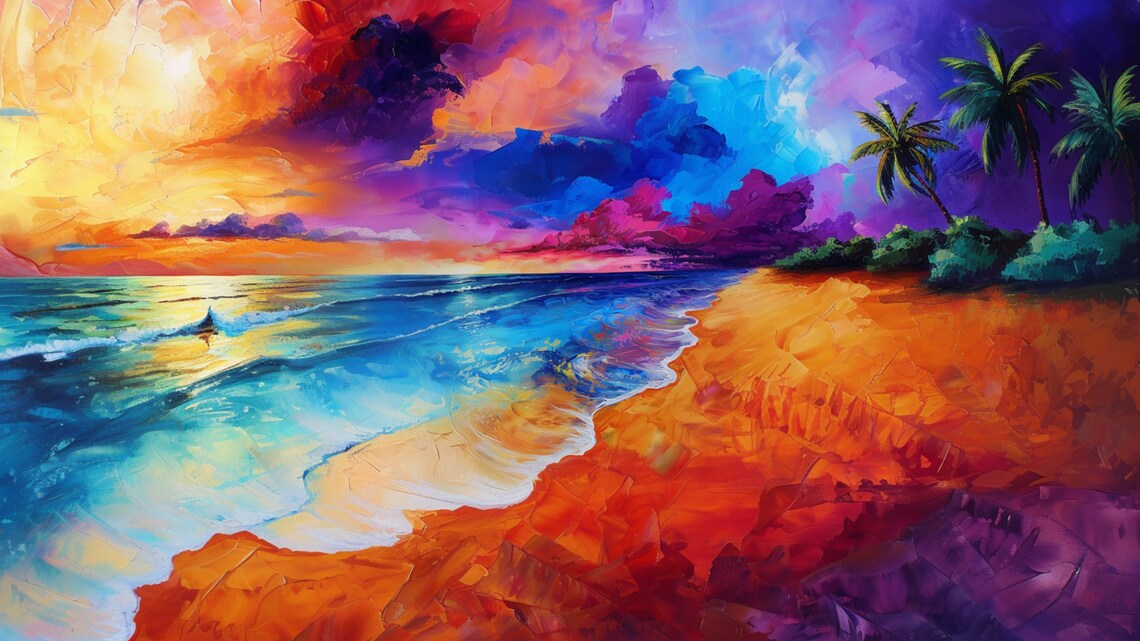
Achieving balanced colors in beach photography requires a thoughtful approach to your camera’s settings. Beyond understanding the unique challenges of the beach environment, mastering your camera’s controls is paramount to capturing the vibrant hues of sand, sea, and sky accurately. This section will guide you through the optimal aperture, shutter speed, ISO, and white balance settings to ensure your beach scenes are rendered with rich, true-to-life colors.The interplay of light and motion at the beach presents specific photographic challenges.
By carefully selecting your camera’s core settings, you can effectively manage depth of field, freeze or blur motion, control image noise, and ensure your white balance accurately reflects the scene, all contributing to a more pleasing and color-balanced final image.
Optimal Aperture Settings for Beach Photography
The aperture setting plays a crucial role in controlling both the exposure and the depth of field in your beach photographs. A well-chosen aperture can ensure that your subject is sharp while the background is beautifully blurred, or that the entire scene, from the foreground dunes to the distant horizon, is in crisp focus.Here’s a guide to aperture settings for beach photography:
- For landscapes with deep depth of field: Use a smaller aperture (higher f-number), such as f/8 to f/16. This range ensures that most of the scene is in focus, which is often desirable for expansive beach vistas.
- For isolating subjects: Employ a wider aperture (lower f-number), like f/2.8 to f/5.6. This creates a shallow depth of field, blurring the background and drawing attention to your primary subject, such as a person or a unique shell.
- Balancing aperture and light: Remember that smaller apertures let in less light, requiring longer shutter speeds or higher ISO. In bright beach conditions, you might be able to use a smaller aperture without overexposing.
Recommended Shutter Speeds for Capturing Motion
Shutter speed is your primary tool for controlling how motion is rendered in your beach images. Whether you want to freeze the delicate spray of a wave or convey the dynamic power of the ocean, the right shutter speed is key to both capturing movement and maintaining color integrity.Consider these recommendations for shutter speeds:
- To freeze wave action: Use a fast shutter speed, typically 1/500 second or faster. This will freeze the water droplets and spray, revealing intricate details and sharp textures within the waves.
- To show motion blur (smooth water): Opt for a slower shutter speed, ranging from 1/2 second to several seconds. This will transform crashing waves into a smooth, ethereal flow, often seen in seascapes with ND filters.
- To capture subtle movement: For slight motion blur in clouds or gentle waves, shutter speeds between 1/15 second and 1/2 second can be effective.
- Color integrity and motion: When using slow shutter speeds, be mindful of overexposure, especially in bright sunlight. Neutral Density (ND) filters are invaluable for allowing slower shutter speeds without blowing out highlights, thus preserving color saturation.
The Importance of ISO Settings and Noise Management
ISO controls your camera sensor’s sensitivity to light. While increasing ISO can be useful in low-light situations, it also introduces digital noise, which can degrade image quality and affect color fidelity. In the bright environment of a beach, managing ISO is crucial for maintaining clean, vibrant colors.Here’s how to approach ISO settings:
- Start with the lowest native ISO: Always aim to use your camera’s base ISO (often ISO 100 or 200) whenever possible. This provides the cleanest image with the least amount of noise and the best color reproduction.
- Increase ISO cautiously: Only increase your ISO when necessary to achieve a proper exposure, such as when you need a faster shutter speed in lower light or when using a smaller aperture in less-than-ideal lighting.
- Understand the noise threshold: Different cameras handle high ISOs differently. Familiarize yourself with your camera’s capabilities to know at what ISO noise becomes noticeable and impacts color saturation.
- Post-processing noise reduction: Modern editing software can effectively reduce noise. However, it’s always best to capture the cleanest possible image in-camera, as excessive noise reduction can lead to a loss of detail and color accuracy.
In bright beach conditions, you will likely be able to maintain a low ISO, which is ideal for preserving excellent color quality and detail.
Setting White Balance for Accurate Beach Colors
White balance (WB) is arguably the most critical setting for achieving accurate colors in your beach photographs. It tells your camera what “white” is under the current lighting conditions, allowing it to adjust the color temperature accordingly. Incorrect white balance can result in images that are too blue (cool) or too yellow/orange (warm), distorting the natural colors of the scene.Follow these steps for setting white balance:
Manual White Balance Adjustment:
- Understand the Kelvin scale: White balance can be set manually using Kelvin (K) values. Lower K values represent cooler (bluer) light, while higher K values represent warmer (yellower) light.
- Observe the light: On a sunny beach, the light is typically warm. For accurate colors, you might aim for a K value around 5000-5500K. Overcast conditions will require a lower K value to counteract the blue cast.
- Test and refine: Take a test shot, review it on your camera’s LCD, and adjust the Kelvin value incrementally until the colors appear natural and balanced.
Using White Balance Presets:
- Identify the lighting condition: Most cameras offer presets like “Daylight,” “Cloudy,” “Shade,” “Flash,” and “Custom.”
- Select the appropriate preset: For a sunny beach, the “Daylight” preset is often a good starting point. If the sun is low on the horizon or the sky is hazy, “Cloudy” might be more suitable to add a touch of warmth.
- Consider the “Custom White Balance” option: For the most precise results, use a gray card or a white object in your scene. Set your camera to “Custom White Balance,” point it at the gray card/white object under the ambient light, and press the shutter button. This will calibrate the camera to that specific light.
“Accurate white balance is the foundation of true color in photography; without it, even the best exposure can’t save a scene from an unnatural color cast.”
Experimenting with these settings and understanding their impact will significantly improve the color balance and overall quality of your beach photography.
Utilizing Light for Color Harmony
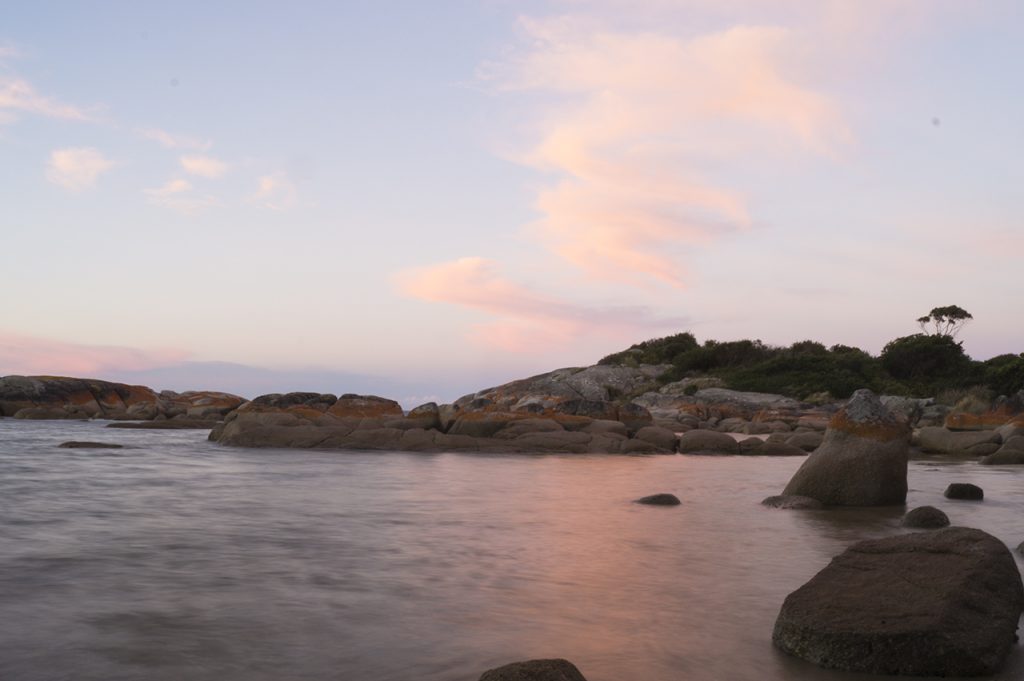
The interplay of light and color is fundamental to capturing stunning beach scenes. Understanding how different light conditions affect your colors and employing strategic techniques will elevate your photography from good to exceptional. This section delves into harnessing the power of natural light to achieve balanced and harmonious tones in your beach images.
Color Theory and Beach Photography
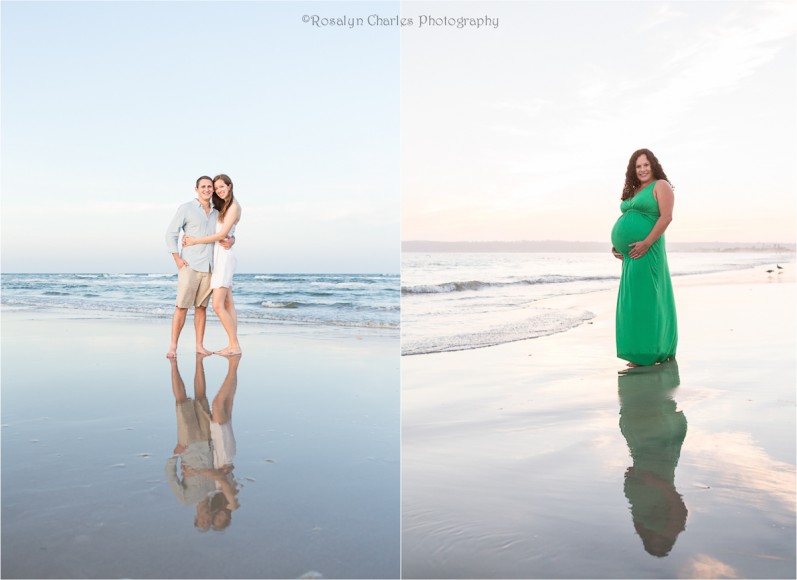
Understanding color theory is fundamental to creating visually appealing beach scenes with balanced colors. By consciously applying principles of color harmony, you can elevate your photographs from mere documentation to evocative artistic expressions. This section explores how color relationships can be leveraged to enhance the natural beauty of beach environments and evoke specific moods in your viewers.Color theory provides a framework for understanding how colors interact with each other and how these interactions affect our perception.
In beach photography, this translates to strategically using colors present in the scene, or introducing complementary elements, to create visual interest and emotional resonance. The goal is to achieve a harmonious balance that reflects the serene, vibrant, or dramatic moods often associated with coastal landscapes.
Complementary and Analogous Colors in Beach Scenes
Complementary colors are pairs of colors that are opposite each other on the color wheel, such as blue and orange, or yellow and purple. When placed next to each other, they create a strong contrast that can make both colors appear more vibrant. Analogous colors, on the other hand, are colors that are adjacent to each other on the color wheel, like blue, blue-green, and green.
They tend to create a sense of harmony and calmness.In beach photography, the sea and sky often provide a dominant blue or cyan hue. To incorporate complementary colors, look for elements like a bright orange sunset, warm golden sand, or even the red of a beach umbrella or swimwear. These contrasting colors will make the blues of the water and sky pop.
Analogous colors can be found in the subtle shifts of blue in the water, the muted greens of distant vegetation, or the soft grays of clouds. Using these similar hues together creates a cohesive and tranquil aesthetic, emphasizing the natural flow of the coastal environment.
Foreground Elements for Natural Color Enhancement
The foreground of a beach scene offers a prime opportunity to introduce elements that either complement or echo the dominant colors of the sea and sand, thereby enhancing the overall color balance. Thoughtful placement of foreground subjects can guide the viewer’s eye and add depth to the composition.Consider incorporating elements that naturally occur on the beach or can be strategically placed.
Smooth, wave-worn pebbles can introduce subtle variations in earthy tones that harmonize with the sand. Driftwood, with its weathered textures and often muted brown or gray hues, can provide a grounding element that balances the brighter colors of the water. For a more vibrant contrast, consider the use of colorful seashells, a brightly colored beach towel, or even a child’s brightly colored toy.
These elements, when positioned in the foreground, can act as anchors that draw attention and create a pleasing interplay with the background’s natural palette.
Psychological Impact of Beach Color Palettes
Color palettes in photography have a profound psychological effect on the viewer, influencing their emotions and perceptions of the scene. Beach photography, with its inherent connection to nature, can evoke a wide range of feelings depending on the dominant colors used.A palette dominated by cool blues and greens often evokes feelings of calmness, serenity, and vastness, mirroring the expansive ocean and sky.
These colors can promote relaxation and a sense of peace. Conversely, a palette rich in warm tones – golden sands, fiery sunsets, and hints of orange or red – can create a sense of energy, warmth, happiness, and excitement. These colors can evoke feelings of joy and invigoration. Muted, desaturated colors, often seen during overcast days or at dawn and dusk, can lend a mood of introspection, melancholy, or dramatic contemplation.
Common Beach Color Schemes and Emotional Associations
The specific combination of colors present in a beach scene significantly contributes to its overall mood and the emotional response it elicits from the viewer. Understanding these common associations can help photographers intentionally compose shots that convey a desired feeling.Here is a list of common beach color schemes and their associated emotional responses:
- Cool Blues and Greens: Evokes feelings of tranquility, peace, vastness, and coolness. This palette is often associated with a sense of escape and relaxation.
- Warm Golds and Oranges: Creates a sense of warmth, energy, happiness, and vibrancy. This scheme is typically linked to joy, passion, and a lively atmosphere, especially during sunrise or sunset.
- Earthy Browns and Grays: Suggests stability, grounding, and a connection to nature’s raw elements. These tones can evoke a sense of quiet contemplation or a more rugged, natural aesthetic.
- Vibrant Contrasts (e.g., blue water with red umbrella): Generates excitement, dynamism, and visual interest. These combinations draw the eye and can convey a feeling of playful energy or striking beauty.
- Soft Pastels (e.g., pale pinks, lavenders during dawn/dusk): Implies gentleness, romance, and a dreamlike quality. These subtle hues often create an atmosphere of delicate beauty and serenity.
Post-Processing Techniques for Color Correction
While careful shooting can set the stage for beautiful beach scenes, post-processing is where you can truly refine and enhance the colors, ensuring they accurately reflect the mood and vibrancy of your vision. This stage allows you to correct any environmental color casts and subtly amplify the natural beauty of the coast.
Adjusting Exposure and Contrast for Subtle Beach Colors
The interplay of light and shadow on a beach is crucial for revealing its subtle colors. Proper exposure and contrast adjustments in editing software can bring out details that might be lost in the initial capture, especially in areas of high dynamic range like a bright sky meeting darker sand.
When editing, begin by evaluating the overall brightness of your image. If the scene appears too dark or too bright, the exposure slider is your first point of call. For beach scenes, it’s often beneficial to slightly underexpose to preserve the highlights in the sky and water, preventing them from becoming blown out. Conversely, if shadows are too deep, lifting them carefully can reveal the texture and color of the sand or foreground elements.
Contrast plays a vital role in defining the separation between tones and enhancing color saturation. Increasing contrast can make the blues of the ocean deeper and the yellows of the sand richer. However, it’s important to do this judiciously. Over-sharpening the contrast can lead to harsh transitions and a loss of detail in the mid-tones, which are often where the most nuanced colors reside.
A good approach is to use an S-curve in your tone curve adjustments, which allows for precise control over highlights, mid-tones, and shadows, thereby bringing out those delicate beach colors without sacrificing detail.
Correcting Environmental Color Casts
Beach environments can often impart unwanted color casts onto your images. The bright, diffused light can sometimes lend a blueish tint, particularly on overcast days or in the shade, while strong sunlight can introduce a yellowish hue. Post-processing offers powerful tools to neutralize these casts and restore a more accurate color balance.
The white balance tool is your primary weapon against color casts. Most editing software offers an eyedropper tool that allows you to click on an area of the image that should be neutral gray or white. If you can identify a neutral element, this can effectively correct the overall color cast. If no perfectly neutral area is available, you can manually adjust the temperature and tint sliders.
Lowering the temperature shifts the image towards blue, while increasing it moves it towards yellow. The tint slider adjusts between green and magenta. Experiment with these sliders until the unwanted cast is neutralized and the colors appear natural.
For more persistent or subtle casts, the color balance or color grading tools can be employed. These allow you to adjust the color balance of specific tonal ranges (shadows, mid-tones, highlights). For instance, if your shadows have a blue cast, you can selectively reduce the blue in the shadow regions of the color balance panel. This targeted approach offers greater control than global white balance adjustments.
Using Saturation and Vibrance for Color Enhancement
Saturation and vibrance are two distinct yet related sliders that can significantly impact the color intensity in your beach photographs. Understanding their differences is key to enhancing colors effectively without creating an artificial look.
Saturation increases the intensity of all colors in an image equally. While this can make vibrant scenes pop, overdoing it can lead to unnatural, oversaturated colors that look garish and lose their realism. Think of it as turning up the volume on all colors simultaneously.
Vibrance, on the other hand, is a more intelligent tool. It selectively boosts the intensity of less saturated colors more than it boosts already saturated colors. This means it tends to protect skin tones and existing vibrant colors from becoming overly intense, while still giving a nice lift to muted areas. Vibrance is generally the preferred tool for enhancing beach colors because it helps to bring out the subtle variations in the blues of the water, the warm tones of the sand, and the muted greens of coastal vegetation without making them look artificial.
Vibrance is often the safer and more effective choice for enhancing natural beach colors, as it intelligently targets less saturated areas, preserving realism.
When using these sliders, start with small adjustments and observe the effect. It’s often best to aim for a subtle enhancement that makes the colors feel more lifelike and appealing, rather than overtly artificial. Zooming in to 100% can help you identify areas where colors might be starting to look unnatural.
Step-by-Step Guide for Selective Color Adjustments
To achieve a truly polished beach photograph, selective color adjustments are indispensable. This allows you to fine-tune the colors of specific elements like the sky, water, and sand, ensuring each component contributes harmoniously to the overall image.
Here is a common workflow using a layer-based editing software:
- Isolate the Sky:
Create a new adjustment layer (e.g., Hue/Saturation, Color Balance, or Curves). Use a layer mask to isolate the sky. You can do this manually with the brush tool, or more efficiently with selection tools like the Quick Selection Tool or the Sky Replacement feature (if available). Once masked, you can adjust the hue, saturation, or brightness of the sky specifically.
For instance, you might want to deepen the blues, add a touch of magenta for a sunset effect, or reduce the saturation if it appears too intense.
- Refine the Water:
Create another adjustment layer and mask it to the water. The water’s color can vary greatly, from deep blues to turquoise or even greens. You might want to enhance the blues, bring out the subtle greens in shallow areas, or adjust the contrast to define waves. Be mindful of reflections; if there are strong reflections of the sky, their color will influence the water’s appearance.
You can also use the clarity or dehaze sliders selectively on the water to improve its texture and definition.
- Enhance the Sand:
Create a third adjustment layer and mask it to the sand. Sand often has warm, earthy tones. You can adjust the color balance to enhance these warm tones, perhaps by adding a touch of yellow or red. Be careful not to overdo it, as sand can quickly look unnatural. Adjusting the exposure and contrast of the sand can also bring out its texture and detail, especially if it has subtle patterns or footprints.
- Global Adjustments:
After making selective adjustments, review the entire image. You may need to make some global adjustments to exposure, contrast, or overall saturation to ensure all the elements work together cohesantly. Sometimes, a slight global vibrance boost can tie everything together.
- Fine-Tuning:
Use the brush tool with varying opacity and flow on your adjustment layer masks to blend the effects seamlessly. This ensures that the transitions between different colored areas, like where the water meets the sand, look natural.
Gear and Accessories for Color Control
Equipping yourself with the right gear and accessories can significantly enhance your ability to capture beach scenes with balanced and vibrant colors. These tools provide greater control over light and the visual spectrum, allowing you to achieve your desired aesthetic.The careful selection of lenses and filters plays a crucial role in managing reflections, enhancing saturation, and ensuring accurate exposure, all of which are fundamental to achieving balanced colors in beach photography.
Essential Lens Types for Vibrant Beach Scenes
Certain lens types are particularly well-suited for beach photography, offering versatility and the ability to capture the dynamic range and vibrant colors often found by the sea.
- Wide-Angle Lenses (e.g., 16-35mm on full-frame): These lenses are excellent for encompassing expansive beach vistas, including the horizon, sky, and foreground elements. Their broad field of view allows you to capture the vastness of the ocean and sky, which are key components of beach color palettes. They also tend to have less distortion at the edges, which can be beneficial for maintaining color uniformity.
- Standard Zooms (e.g., 24-70mm on full-frame): A versatile standard zoom offers flexibility for framing various beach compositions, from sweeping landscapes to more intimate details of the sand or waves. This range allows you to adapt quickly to changing scenes without switching lenses, preserving the moment and your creative flow.
- Telephoto Lenses (e.g., 70-200mm on full-frame): While not always the first choice for expansive landscapes, telephoto lenses can be invaluable for isolating specific subjects, such as distant seabirds, interesting rock formations, or the texture of waves. They can also compress the scene, making the colors of the sky and water appear more intense and unified.
Benefits of Polarizing Filters for Color Harmony
Polarizing filters are indispensable tools for beach photographers seeking to enhance color saturation and reduce distracting glare. They work by selectively filtering out polarized light, which is light that vibrates in a specific direction.
A polarizing filter is akin to wearing sunglasses for your camera lens, cutting through reflections and enhancing the inherent colors of your scene.
The advantages of using a polarizing filter in beach photography include:
- Reduced Glare and Reflections: Polarizers effectively minimize reflections from water surfaces, wet sand, and even the sheen on objects. This allows the true colors of the water and sand to become more apparent and saturated.
- Deepened Sky Colors: By reducing the scattering of light in the atmosphere, a polarizing filter can dramatically deepen the blue of the sky, creating a richer and more dramatic backdrop. This effect is most pronounced when the sun is at a 90-degree angle to the camera.
- Enhanced Water Saturation: The filter can make the water appear more vibrant and opaque by reducing surface glare, allowing you to see more of the water’s natural color.
- Improved Contrast: The reduction of scattered light leads to increased contrast within the scene, making details sharper and colors pop.
When using a polarizing filter, it’s important to rotate it to achieve the desired effect. Over-polarization can sometimes lead to unnatural-looking results, especially with wide-angle lenses where you might see uneven darkening of the sky.
Recommendations for Neutral Density (ND) Filters and Exposure Control
Neutral Density (ND) filters are essential for controlling the amount of light entering your camera without affecting the color balance of the scene. They are particularly useful in bright beach environments where you might want to achieve specific creative effects that require longer exposure times.ND filters are available in various strengths, indicated by stops of light reduction.
- Purpose of ND Filters: In bright beach conditions, the sun can be intense, making it difficult to achieve the desired shutter speeds for effects like blurring water motion or capturing smooth wave trails. ND filters allow you to slow down your shutter speed even in bright daylight.
- Controlling Exposure for Color Accuracy: By enabling longer exposures, ND filters allow you to use lower ISO settings, which minimizes digital noise and preserves image quality and color fidelity. They also give you more control over aperture, allowing you to achieve desired depth of field without overexposing the image.
- Types of ND Filters:
- Standard ND Filters: These are solid grey filters that reduce light equally across the spectrum. Common strengths include 3-stop (ND8), 6-stop (ND64), and 10-stop (ND1000). A 6-stop filter is often a good starting point for beach photography, allowing for exposures of a few seconds even in midday sun.
- Graduated ND (GND) Filters: These filters are dark at the top and clear at the bottom, with a gradual transition. They are excellent for balancing the exposure of a bright sky with a darker foreground, ensuring both areas are properly exposed and their colors are rendered accurately. A soft-edge GND is often preferred for seascapes with a distinct horizon.
When using ND filters, especially strong ones, it’s crucial to recompose your shot and focus before attaching the filter, as the viewfinder might become too dark to see clearly.
Camera Types and Color Fidelity in Beach Photography
The type of camera you use can influence the fidelity and accuracy of colors captured in beach scenes. While modern cameras from all major brands offer excellent color reproduction, some distinctions are worth noting.
- DSLRs and Mirrorless Cameras: These interchangeable-lens cameras generally offer superior color reproduction due to their larger sensors and more advanced image processing capabilities.
- Sensor Size: Larger sensors (like APS-C and Full-Frame) capture more light and detail, which translates to better color depth and accuracy, especially in challenging lighting conditions common at the beach.
- Image Processors: Different camera manufacturers employ distinct image processing algorithms that can subtly affect color rendering. Understanding your camera’s color profiles (e.g., Standard, Vivid, Neutral) and how they interpret color can be beneficial.
- High-End Compact Cameras: Some premium compact cameras also boast excellent color science and larger sensors that can rival entry-level DSLRs or mirrorless cameras, offering a good balance of portability and image quality.
- Smartphones: While smartphone cameras have advanced dramatically, their smaller sensors and computational photography can sometimes lead to more processed or less nuanced color reproduction compared to dedicated cameras, especially in high-contrast beach scenes. However, their ease of use and accessibility make them a viable option for many.
Ultimately, regardless of the camera type, shooting in RAW format is paramount for maximizing color control. RAW files retain all the unprocessed data from the sensor, providing the most flexibility for color correction and adjustments in post-processing without compromising image quality.
Compositional Elements that Enhance Color
Beyond camera settings and lighting, the way you arrange elements within your frame significantly impacts how colors are perceived and how balanced your beach scenes appear. Thoughtful composition can transform a visually pleasing scene into a captivating masterpiece by guiding the viewer’s eye and emphasizing the vibrant hues of the coast.
Leading Lines and Color Gradients
Leading lines are powerful compositional tools that direct the viewer’s gaze through the photograph, effectively drawing attention to specific areas and enhancing the appreciation of color. In beach scenes, these lines can be natural or man-made, such as the gentle curve of the shoreline, the parallel tracks left by receding waves, a pier stretching into the ocean, or even the edge of a sand dune.
By guiding the eye along these lines, you can emphasize the subtle or dramatic shifts in color, such as the gradient of the sky from warm oranges and pinks at sunset to deep blues, or the transition of sand tones from wet, dark patches to dry, pale expanses. This deliberate path encourages the viewer to linger and absorb the nuances of the scene’s color palette.
Framing Elements for Color Isolation
Framing involves using elements within the scene to create a natural border around your subject, which helps to isolate and highlight specific colors. Think of driftwood branches that frame the vibrant turquoise of the ocean, or the dark silhouette of a rocky outcrop that makes the golden hues of the setting sun pop. These framing elements act like a visual mat for a painting, drawing attention to the colors within the frame and preventing them from blending into the background.
This technique is particularly effective for emphasizing the saturation and intensity of a particular color, creating a focal point that resonates with the viewer.
The Impact of Negative Space on Color Perception
Negative space, the area around and between the subject of an image, plays a crucial role in how colors are perceived. In beach photography, vast expanses of sky, sea, or sand can serve as negative space. When used effectively, negative space can make the colors within the positive space appear more vibrant and impactful by providing a visual respite. A small, brightly colored shell against a large expanse of pale sand, for instance, will have its color amplified by the surrounding emptiness.
Conversely, too much competing color in the negative space can lead to a cluttered and unbalanced image. Strategic use of negative space allows the chosen colors to breathe and command the viewer’s attention.
Compositional Techniques and Their Effect on Color Balance
The intentional application of compositional techniques can profoundly influence the perceived color balance in your beach photographs. By considering how elements are arranged, you can create images that feel harmonious and visually satisfying, allowing the colors to tell their story effectively.
| Technique | Description | Color Impact |
|---|---|---|
| Rule of Thirds | Placing key elements, such as the horizon or a prominent subject, along the intersecting lines of a 3×3 grid or at their intersections. | This technique creates visual interest and allows the different color areas within the scene to breathe, preventing them from feeling too crowded or static. It helps in distributing color and visual weight effectively. |
| Symmetry | Mirroring elements in the composition, often achieved with reflections in water or a perfectly centered horizon. | Symmetry can create a sense of calm, order, and balance, which directly translates to color harmony. Symmetrical compositions often emphasize the repetition and interplay of colors, making them feel unified. |
| Foreground Interest | Including visually engaging objects or textures in the foreground of the image. | Foreground elements add depth and can provide contrasting or complementary colors that enhance the colors of the midground and background. For example, dark, textured rocks in the foreground can make the vibrant blues of the ocean or the warm tones of the sky more prominent. |
| Leading Lines | Using natural or man-made lines within the scene to guide the viewer’s eye towards the main subject or through the image. | Leading lines draw attention to color gradients and shifts within the scene. They can emphasize the transition from warm to cool colors or highlight specific areas of intense color saturation. |
| Framing | Utilizing elements within the scene, such as branches, arches, or rock formations, to create a natural border around the subject. | Framing isolates and emphasizes the colors within the framed area, making them stand out more vividly against the surrounding elements. This technique helps to focus the viewer’s attention on specific color palettes. |
| Negative Space | The empty or uncluttered areas surrounding the main subject of the photograph. | Ample negative space can make the colors within the positive space appear more vibrant and impactful by providing a visual contrast and preventing the image from feeling overwhelming. It allows the viewer’s eye to rest and appreciate the dominant colors. |
Summary
By understanding the environmental factors, mastering your camera’s capabilities, and applying thoughtful compositional and editing techniques, you are now equipped to create beach photographs that are not only visually appealing but also harmoniously balanced in color. These principles will empower you to capture the essence of the coast, from the subtle gradients of the sky to the rich tones of the sand and sea, resulting in images that truly resonate with viewers.