Embark on a journey to master the art of capturing the ethereal beauty of waterfalls, transforming cascading water into smooth, silken ribbons of light. This guide will illuminate the photographic principles and practical techniques required to achieve that captivating, dreamlike effect.
We will explore the fundamental concepts, from understanding the crucial role of shutter speed to selecting the right gear and mastering camera settings. From essential equipment like tripods and ND filters to the nuances of lighting and post-processing, every aspect will be covered to ensure your waterfall photographs possess that sought-after silky texture.
Understanding the Silky Waterfall Effect
Achieving the coveted “silky” or “smooth” water effect in waterfall photography is a popular technique that transforms the dynamic motion of water into a dreamlike, ethereal flow. This visual transformation is rooted in fundamental photographic principles, primarily the manipulation of shutter speed to alter how motion is captured. By controlling the duration the camera’s sensor is exposed to light, we can dictate whether fast-moving elements like water appear frozen in time or blend into a soft, continuous stream.The illusion of silky water is created by allowing the water to move across the frame during a prolonged exposure.
During this extended period, the light reflecting off the moving water traces a path, effectively blurring its individual droplets and streams into a cohesive, smooth texture. This effect is most pronounced when there is significant movement in the water, such as in a fast-flowing river or a cascading waterfall.
The Role of Shutter Speed
Shutter speed is the most critical element in achieving the silky waterfall effect. It dictates the duration the camera’s shutter remains open, allowing light to reach the sensor. A fast shutter speed (e.g., 1/1000th of a second) will freeze motion, capturing individual water droplets. Conversely, a slow shutter speed (e.g., 1/2 second or longer) allows the water to move significantly during the exposure, resulting in the desired blurring and smoothing effect.
The longer the shutter speed, the smoother the water will appear.
The specific shutter speed required depends on several factors, including the speed of the water flow and the amount of light available. For a gentle stream, a shutter speed of 1/4 second might suffice. For a powerful waterfall, you might need exposures of 1 second or even longer to achieve a pronounced silky effect.
Ideal Camera Settings for Silky Water
To consistently achieve the silky waterfall effect, a combination of specific camera settings is recommended. These settings work in harmony to allow for long exposures while maintaining image quality.
- Aperture: A moderately narrow aperture, such as f/8 to f/16, is generally preferred. This setting provides a good depth of field, ensuring that both the foreground elements and the distant background are in focus. It also helps to reduce the amount of light entering the lens, which is beneficial when trying to achieve long shutter speeds in brighter conditions.
- ISO: Keeping the ISO as low as possible, typically ISO 100 or 200, is crucial. High ISO settings introduce digital noise, which can degrade the image quality and detract from the smooth texture of the water. A low ISO ensures cleaner images, especially important when you’re aiming for fine details in the surrounding landscape.
- Shutter Speed: This is the primary variable. For a noticeable silky effect, start with shutter speeds ranging from 1/2 second to 2 seconds. For more dramatic smoothing, especially with fast-moving water, you may need to extend this to 5 seconds or more. Experimentation is key to finding the perfect duration for your specific scene.
The Impact of ND Filters
Neutral Density (ND) filters are indispensable tools for achieving the silky waterfall effect, particularly in daylight or bright conditions. These filters reduce the amount of light entering the camera without affecting the color balance of the image. Without an ND filter, you would be forced to use a very small aperture and a low ISO, which might not be sufficient to achieve the necessary long shutter speeds in bright light.ND filters effectively act like sunglasses for your camera lens.
They allow you to use the ideal aperture and low ISO settings for image quality while still enabling you to slow down your shutter speed significantly.
- Types of ND Filters: ND filters come in various strengths, measured in “stops” of light reduction. Common strengths include 3-stop, 6-stop, and 10-stop ND filters. A 3-stop filter reduces light by half, a 6-stop by 64 times, and a 10-stop by 1024 times.
- When ND Filters Are Essential: In bright daylight, even at the lowest ISO and a narrow aperture, your shutter speed might still be too fast to achieve a silky water effect. In such scenarios, a strong ND filter (e.g., 6-stop or 10-stop) becomes essential. For instance, if your camera’s fastest shutter speed is 1/250s and you need 2 seconds for the silky effect, you’ll need enough ND filtration to reduce the light by approximately 7 stops (250
– 2 = 500, so roughly 2^9 = 512, which is 9 stops, but practically around 7-8 stops would be needed to achieve a 2-second exposure from a 1/250s limit). - Graduated ND Filters: While standard ND filters reduce light uniformly, graduated ND filters are darker on one end and fade to clear on the other. These are useful for scenes where the sky is much brighter than the foreground, helping to balance the exposure and prevent blown-out highlights in the sky while still allowing for a long exposure on the water.
Essential Gear for Silky Waterfall Shots
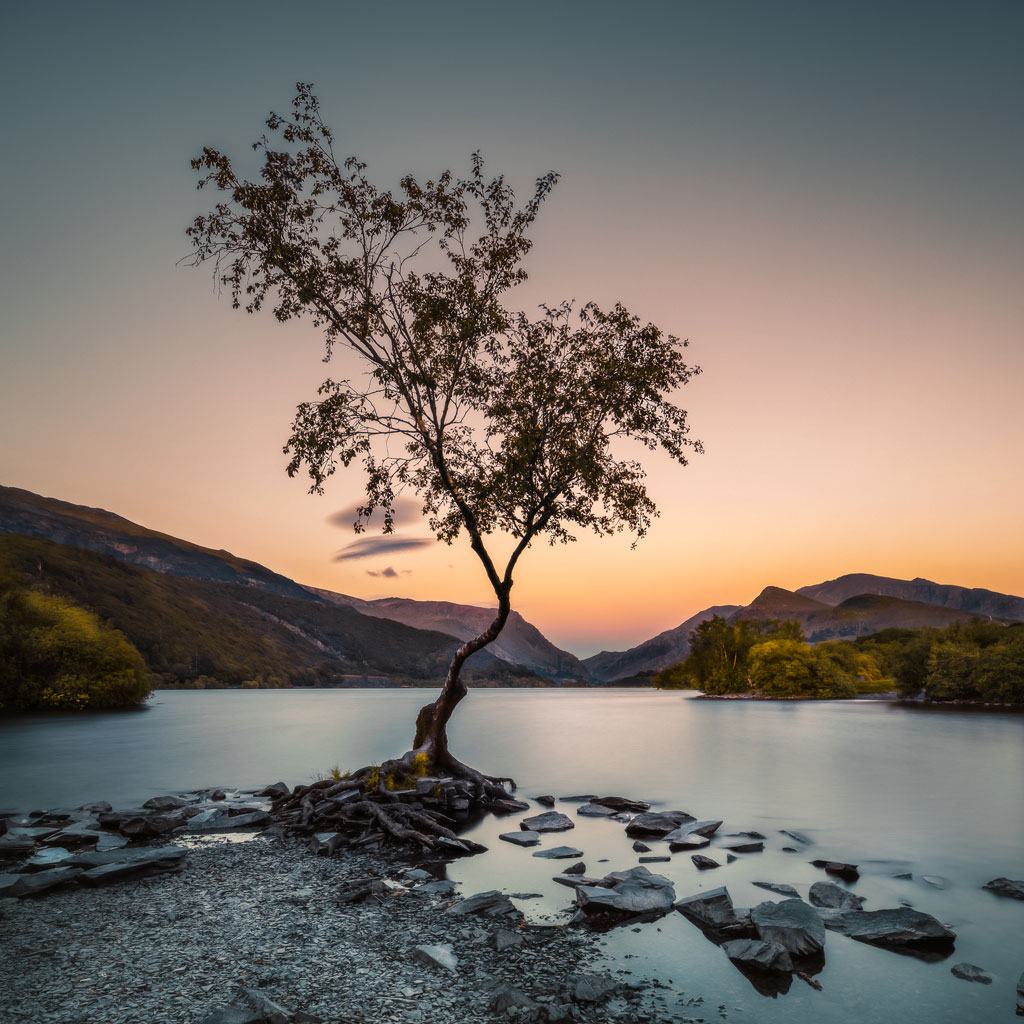
Capturing the ethereal, silky effect of moving water requires more than just pointing your camera at a waterfall. Specific equipment plays a vital role in achieving this artistic look, allowing you to control light and motion precisely. This section Artikels the crucial gear that will elevate your waterfall photography.The foundation of any successful long exposure photography, including silky waterfall shots, is a stable platform.
Without it, your images will suffer from unwanted blur, negating the desired smooth water effect. Beyond stability, controlling the amount of light entering your lens is paramount, especially when aiming for longer shutter speeds during daylight.
Camera Support Systems
A sturdy tripod is indispensable for achieving sharp images during long exposures. The primary function of a tripod is to eliminate camera shake, which is amplified when using slow shutter speeds. For waterfall photography, where you might be composing shots in potentially uneven terrain or windy conditions, a robust tripod is a non-negotiable piece of kit.When selecting a tripod for this purpose, consider the following:
- Material: Tripods made from carbon fiber are lighter and more resistant to vibrations than aluminum ones, though they are typically more expensive. Aluminum tripods are a more budget-friendly option and still offer good stability.
- Leg Locks: Flip locks are generally quicker to deploy and adjust than twist locks, which can be beneficial when you need to quickly set up or adjust your composition.
- Center Column: While a center column can add height, it can also introduce instability. For maximum stability, it’s often best to keep the center column lowered or avoid using it altogether, especially in windy conditions.
- Ball Head vs. Pan-Tilt Head: A ball head offers quick and intuitive adjustments, allowing you to recompose rapidly. A pan-tilt head provides more precise control over horizontal and vertical movements, which can be useful for architectural photography but is generally less common for landscape and waterfall shots where quick framing is key.
Neutral Density (ND) Filters
Neutral Density (ND) filters are essential tools for intentionally reducing the amount of light that reaches your camera’s sensor. This reduction in light allows you to use slower shutter speeds, even in bright conditions, which is critical for achieving the silky water effect. Without ND filters, you might be forced to use very fast shutter speeds, preventing the water from blurring into a smooth stream.ND filters come in various strengths, often denoted by numbers or stops of light reduction:
- Strengths: Common strengths include 3-stop (ND8), 6-stop (ND64), and 10-stop (ND1000). A 3-stop filter reduces light by a factor of eight, a 6-stop by a factor of 64, and a 10-stop by a factor of 1000. Higher numbers indicate stronger filtration.
- Variable ND Filters: These filters allow you to adjust the level of filtration by rotating the filter, offering flexibility. However, they can sometimes introduce color casts or a cross-polarization effect at their strongest settings.
- Square Filter Systems: These systems use a holder that attaches to your lens, allowing you to slide in rectangular filters. This offers greater control and the ability to stack filters if needed, and they are generally less prone to color shifts than some variable NDs.
The ability to control shutter speed is the key to transforming turbulent water into a smooth, ethereal veil.
Remote Shutter Release or Timer
Minimizing camera shake during the moment the shutter is activated is as important as having a stable tripod. Even the slightest touch to the camera can introduce blur during a long exposure. This is where a remote shutter release or your camera’s built-in timer becomes invaluable.The benefits of using a remote shutter release or timer include:
- Eliminating Camera Shake: Pressing the shutter button directly can cause a subtle vibration. Using a remote or timer allows the camera to remain undisturbed while the exposure begins.
- Precise Timing: A remote shutter release can offer more precise control over when the exposure starts, which can be helpful for capturing specific moments or when working with dynamic lighting.
- Convenience: For very long exposures, a remote allows you to trigger the shutter and then move away from the camera without needing to be physically next to it.
Many modern cameras have built-in intervalometers and self-timers that can be set for delays of 2, 5, or 10 seconds. For more advanced control, dedicated wired or wireless remote shutter releases are available.
Camera Settings and Techniques
Achieving the coveted silky water effect in waterfall photography hinges on precise camera settings and thoughtful technique. This section will guide you through the essential adjustments and practices to transform cascading water into a smooth, ethereal flow. Mastering these elements is crucial for translating the dynamic movement of water into a static, artistic representation.To create the silky waterfall effect, a deliberate and methodical approach to camera settings is paramount.
This involves understanding how different settings interact to influence exposure and motion blur. The following steps Artikel the process for setting up your camera to achieve this specialized photographic outcome.
Step-by-Step Camera Setup for Silky Water Effect
This procedure ensures that your camera is optimally configured to capture the desired long exposure and manage the dynamic range of a waterfall scene.
- Set Your Camera to Manual Mode (M): This mode provides complete control over both aperture and shutter speed, which are critical for achieving the silky effect.
- Set the ISO to its Lowest Native Value: Typically, this is ISO 100 or ISO 200. A low ISO minimizes digital noise, which is essential for clean images, especially during long exposures.
- Choose Your Aperture: A common starting point is f/8 to f/11. This aperture range offers a good balance between depth of field, ensuring the waterfall and its surroundings are acceptably sharp, and diffraction, which can soften images at very small apertures. For extremely bright conditions, you might need to stop down further, but be mindful of diffraction.
- Determine Your Shutter Speed: This is the most critical setting for the silky effect. You will need a slow shutter speed to allow the water to blur. The exact speed will depend on the water’s flow rate and the amount of light. Start with a shutter speed of 1/2 second and adjust as needed. For a very smooth, milky effect, you might need several seconds, which will require neutral density (ND) filters.
- Focus Manually: Autofocus can be unreliable in low light or with moving water. Switch to manual focus and set your focus point to ensure sharpness where you intend it. Focusing on a point about one-third of the way into the scene is often a good strategy for a broad depth of field.
- Use a Tripod and Remote Shutter Release: A tripod is non-negotiable for long exposures to prevent camera shake. A remote shutter release (or your camera’s self-timer) further minimizes vibration when you press the shutter button.
Metering for Balanced Exposure in High Contrast Scenes
Scenes with bright skies and dark water present a significant challenge for exposure. Effective metering ensures that neither the highlights nor the shadows are completely lost.
When photographing a waterfall, you often encounter a scene with a very bright sky and dark, shadowed areas around the water. This high dynamic range can trick your camera’s meter, leading to either an overexposed sky or an underexposed foreground. To achieve a balanced exposure, consider these techniques:
- Spot Metering on a Mid-Tone: If your camera has spot metering, try metering off an area that appears to be a mid-tone in the scene, such as a wet rock that isn’t in direct sunlight or a patch of foliage. This can give you a more accurate reading than metering off the brightest or darkest parts.
- Evaluative/Matrix Metering with Exposure Compensation: Most cameras default to evaluative or matrix metering, which analyzes the entire scene. In high-contrast situations, this mode might expose for the bright sky, making the water too dark. Use exposure compensation to slightly underexpose the image. Start with -0.3 to -0.7 EV and adjust based on your test shots.
- Bracket Your Shots: If you are unsure about the perfect exposure, use your camera’s auto-bracketing function. This will take a series of shots at different exposures (e.g., one normal, one underexposed, one overexposed). You can then merge these images later in post-processing using HDR techniques, or select the best single exposure.
- Prioritize Shadows or Highlights: Decide which part of the scene is more important to retain detail. If the sky is crucial, you might accept a slightly darker foreground. If the details in the water and surrounding rocks are paramount, you may need to accept a blown-out sky, which can sometimes be corrected in post-processing or by using a graduated neutral density filter.
Utilizing the Histogram for Long Exposure Accuracy
The histogram is an indispensable tool for verifying the exposure of your long-exposure shots, especially when dealing with the nuances of silky water photography. It provides a visual representation of the tonal distribution in your image, allowing you to make informed adjustments.
The histogram displays the number of pixels at each brightness level, from pure black on the left to pure white on the right. For long exposures, it’s vital to understand how this graph reflects your chosen settings and helps prevent common exposure errors.
- Interpreting the Histogram: A well-exposed image will typically have a histogram where the data is distributed across the tonal range without being heavily clustered at either the extreme left (underexposed) or extreme right (overexposed).
- Avoiding Clipping (Data Touching the Edges): If the histogram’s data is bunched up against the left edge, your image is underexposed, and you will lose shadow detail. If it’s bunched up against the right edge, your image is overexposed, and you will lose highlight detail (blown-out areas). For silky waterfall shots, you want to avoid clipping in both the highlights and shadows as much as possible, though some slight clipping in the very brightest sky areas might be acceptable if the primary subject (the waterfall) is well-exposed.
- Adjusting for Long Exposures: When you extend your shutter speed for the silky effect, the overall brightness of the image on your camera’s sensor will increase. You might need to adjust your aperture (close it down slightly) or use ND filters to compensate and prevent overexposure. Review the histogram after each test shot. If the histogram is pushed too far to the right, you need to reduce the amount of light reaching the sensor.
- The “Sweet Spot”: Aim for a histogram that is reasonably centered, or slightly to the left, to preserve highlight detail. For long exposures, it’s often better to slightly underexpose and recover detail in shadows during editing than to overexpose and have irrecoverable blown-out highlights.
Camera Settings Checklist for Silky Waterfall Photography
Before you press the shutter button for that perfect silky water shot, it’s wise to run through this checklist to ensure all critical settings are in place.
Confirming these settings will greatly increase your chances of capturing the desired silky effect and a well-exposed, artifact-free image.
- Shooting Mode: Manual (M)
- ISO: Lowest native setting (e.g., 100 or 200)
- Aperture: f/8 – f/11 (adjust for depth of field and light)
- Shutter Speed: 1/2 second to several seconds (experiment for desired blur)
- Focus Mode: Manual (MF)
- White Balance: Auto (or set to a specific Kelvin value if preferred)
- Image Format: RAW (for maximum editing flexibility)
- Tripod: Securely set up
- Remote Shutter Release/Self-Timer: Engaged
- Lens Hood: Attached (to prevent flare)
- Neutral Density (ND) Filter: In place if needed for longer shutter speeds in brighter conditions
Lighting and Environmental Considerations
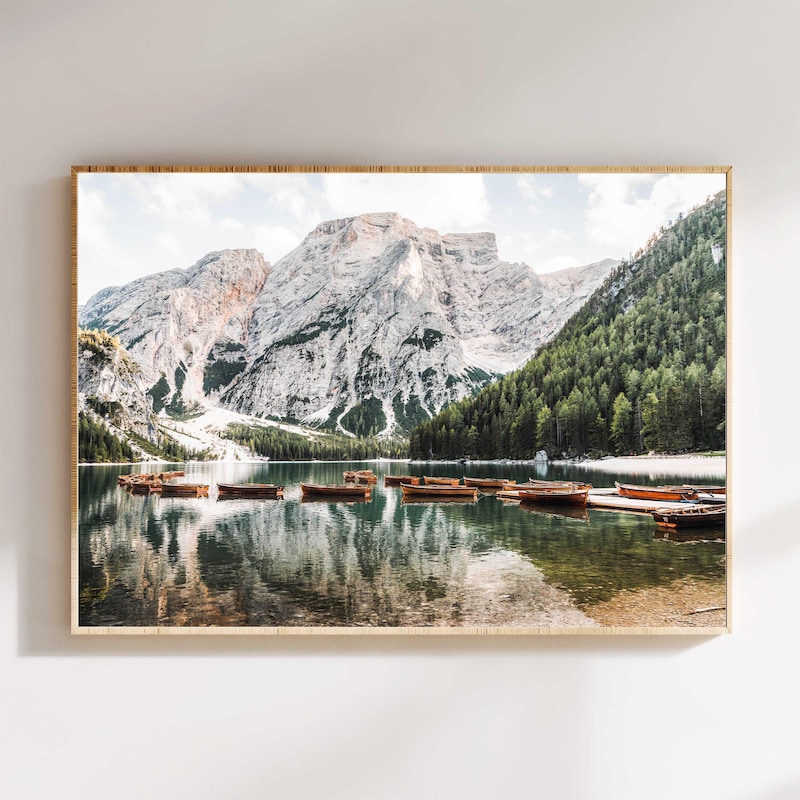
Achieving that dreamy, silky waterfall effect is not solely dependent on your camera settings and gear; the environment and lighting play crucial roles. Understanding these elements will elevate your waterfall photography from good to exceptional. This section delves into optimizing natural light, managing challenging conditions, scouting the best locations, and leveraging weather to your advantage.The quality of light significantly influences the mood and visual impact of your silky waterfall shots.
Soft, diffused light is generally ideal, as it minimizes harsh reflections on the water and prevents overexposure in your long exposures.
Optimal Natural Lighting Conditions
The most favorable natural lighting for achieving a silky waterfall effect occurs during periods of soft, diffused light. This type of light gently illuminates the scene without creating strong shadows or blown-out highlights, allowing the water’s texture to be rendered smoothly.
- Golden Hour: The period shortly after sunrise and before sunset offers warm, soft light that is flattering to most natural landscapes. The low angle of the sun casts a gentle glow, minimizing harshness and enhancing the colors of the surrounding environment.
- Overcast Skies: Cloudy days are a photographer’s best friend for waterfall photography. Clouds act as a natural diffuser, scattering sunlight evenly across the scene. This eliminates harsh shadows and provides a consistent, soft light that is perfect for long exposures, ensuring a smooth water texture.
- Shaded Locations: Waterfalls situated within dense forests or canyons often benefit from natural shade. This protection from direct sunlight creates a consistently dim environment, ideal for achieving the desired long exposure times without overexposing the image.
Managing Harsh Sunlight
When you encounter a beautiful waterfall but are faced with harsh, direct sunlight, it can seem like a challenge. However, with strategic planning and technique, you can still capture stunning silky water effects. The key is to control the amount of light reaching your sensor.
- Neutral Density (ND) Filters: These are indispensable tools for managing bright conditions. ND filters reduce the amount of light entering the lens, allowing you to use longer shutter speeds even in bright daylight. They are available in various strengths, from mild to extremely dark, enabling you to achieve the desired slow shutter speed. A 6-stop or 10-stop ND filter is often a good starting point for waterfall photography in brighter conditions.
- Polarizing Filters: While not directly reducing light for long exposures, a polarizing filter can be very effective in reducing glare and reflections on the water’s surface. This can make the water appear more uniform and help in achieving a smoother appearance. It can also deepen the blues in the sky and saturate colors.
- Timing: If possible, wait for the sun to move. Observe the light throughout the day and plan your visit for a time when the waterfall is in shade or when the sun’s angle is less direct. Early morning or late afternoon are often the best times.
- Utilizing Natural Obstructions: Look for natural elements like trees, large rocks, or overhangs that can provide shade for the waterfall. Positioning yourself so these elements block direct sunlight can significantly improve your shooting conditions.
Scouting Locations for Optimal Compositions and Light
Thorough location scouting is a critical step that often separates a mediocre shot from a truly memorable one. It allows you to understand the environment, identify the best vantage points, and anticipate the light.
- Pre-Visit Reconnaissance: If possible, visit the location before your planned photography session. This allows you to assess the accessibility, identify potential hazards, and get a feel for the area. Pay attention to the direction of the sun and how it interacts with the waterfall and its surroundings at different times of the day.
- Compositional Elements: Look for leading lines (e.g., riverbanks, fallen logs) that draw the viewer’s eye towards the waterfall. Consider foreground elements that add depth and interest to your image, such as moss-covered rocks, ferns, or wildflowers. Think about how the waterfall interacts with its environment – is it cascading over cliffs, through a forest, or into a pool?
- Light Analysis: Observe how light falls on the waterfall and its surroundings. Note areas that are consistently shaded and areas that receive direct sun. This will help you decide on the best time to shoot and where to position yourself.
- Accessibility and Safety: Ensure the location is safe and accessible. Avoid venturing into dangerous areas for a shot. Sometimes, the best composition might require a slightly different angle that is safer to achieve.
Enhancing the Silky Water Effect with Weather Conditions
Certain weather conditions can significantly enhance the ethereal, silky effect of waterfall photography. These elements add atmosphere and a sense of mood to your images.
- Mist and Fog: Mist and fog are invaluable allies for silky waterfall photography. They diffuse light beautifully, creating a soft, ethereal glow around the falling water. The moisture in the air can also add a sense of mystery and depth to your images, softening the background and making the water appear even more luminous and smooth. Shooting in misty conditions often requires an ND filter to achieve the desired long exposure.
- Light Rain: Light rain can also be beneficial. It can make the rocks and foliage around the waterfall appear more vibrant and saturated. Furthermore, the increased moisture in the air can contribute to a subtle mist, enhancing the softness of the water’s appearance. Be sure to protect your gear from the rain.
- Post-Rain Conditions: Even after the rain has stopped, the lingering moisture in the air and on the surrounding surfaces can create a beautiful, diffused light. The landscape will often appear richer in color, and the air may still hold a fine mist.
Post-Processing for Enhanced Silky Water
While careful in-camera techniques are paramount for achieving that desirable silky waterfall effect, post-processing plays a crucial role in refining and enhancing the visual impact of your images. This stage allows you to further emphasize the smoothness of the water, correct minor exposure or contrast issues, and ensure the overall image is polished and compelling. A well-executed post-processing workflow can transform a good waterfall photograph into an exceptional one.The goal of post-processing in this context is not to create an artificial effect, but rather to accentuate the qualities that were captured through the long exposure.
This involves subtle adjustments that bring out the best in the captured light and motion, making the water appear even more ethereal and flowing.
Workflow for Editing Silky Waterfall Images
A systematic approach to editing ensures consistency and efficiency. This workflow prioritizes enhancing the silky effect while maintaining a natural look.
- Import and Initial Assessment: Load your images into your preferred editing software (e.g., Adobe Lightroom, Capture One, Luminar Neo). Review your selected images, paying attention to overall exposure, white balance, and any immediate distractions.
- Basic Adjustments: Begin with global adjustments. Correct the white balance to ensure accurate colors, especially important if the water is reflecting a colored sky or surrounding foliage. Adjust the overall exposure to bring the image to a balanced level, ensuring shadows are not too dark and highlights are not blown out.
- Contrast and Clarity: Carefully adjust contrast to enhance the sense of depth and dimension. Be mindful of the water’s texture; excessive contrast can make it appear choppy rather than smooth. Clarity sliders should be used sparingly, as they can introduce unwanted texture.
- Local Adjustments for Water: This is where you can truly refine the silky effect. Use radial filters, graduated filters, or adjustment brushes to target specific areas of the water.
- Sharpening and Noise Reduction: Apply sharpening judiciously. Over-sharpening can destroy the smooth, flowing appearance of the water. Noise reduction is also important, especially if you had to increase ISO or encountered underexposed areas.
- Final Touches: Crop and straighten the image if necessary. Consider adding subtle vignetting to draw the viewer’s eye towards the waterfall. A final check for color cast or distracting elements completes the process.
Adjusting Exposure and Contrast for Smoothness
Fine-tuning exposure and contrast is essential for bringing out the inherent smoothness of the water captured with a long exposure. These adjustments help define the form and flow of the water, making it the undeniable subject of the image.To emphasize the silky effect, the primary aim is to ensure the water is neither overexposed (losing all detail and appearing flat) nor underexposed (losing its ethereal quality).
- Exposure: If the waterfall appears too bright and blown out, a slight decrease in exposure will recover detail and subtle tonal variations within the water. Conversely, if the water is too dark, a slight increase can reveal its flowing nature. The goal is to achieve a luminous, yet detailed, representation.
- Contrast: A moderate contrast adjustment can help define the edges of the water as it cascades and pools. However, excessive contrast will introduce harsh lines and detract from the smooth, flowing appearance. It’s often beneficial to slightly reduce the overall contrast in the water itself while maintaining good contrast in the surrounding landscape for depth.
- Highlights and Shadows: Reducing highlights can prevent the brightest parts of the water from becoming pure white, preserving subtle textures. Lifting shadows can reveal detail in darker, more turbulent areas of the water, adding to its dynamic quality without making it appear rough.
“The art of post-processing for silky water lies in accentuating softness without sacrificing detail, and enhancing flow without introducing harshness.”
Using Local Adjustments to Refine Water Texture
Local adjustments are powerful tools for selectively enhancing specific areas of your waterfall image, particularly the water itself. They allow for precise control over texture, brightness, and color without affecting the rest of the scene.By targeting the water with brushes or gradient filters, you can subtly manipulate its appearance to amplify the silky effect and draw attention to its most captivating features.
- Targeting the Water: Use an adjustment brush or radial filter to select the areas of the waterfall you want to refine. Ensure the brush size and feathering are appropriate to blend seamlessly with the surrounding image.
- Softening Texture: To enhance the silky effect, you can slightly decrease the ‘Clarity’ or ‘Texture’ sliders within the local adjustment. This will smooth out any minor imperfections or distracting elements in the water’s surface. Be extremely conservative with these adjustments to avoid an artificial, plasticky look.
- Enhancing Luminosity: A subtle increase in ‘Exposure’ or ‘Brightness’ within the water’s key areas can make it appear more luminous and flowing. This is particularly effective in areas where light catches the water.
- Color Grading: If the water has an undesirable color cast, you can use local adjustments to correct it. For instance, if the water looks too green from surrounding foliage, you can subtly shift the hue or saturation towards blue.
- Highlight Recovery: In areas where the water is brightest, a slight reduction in ‘Highlights’ can help retain detail and prevent it from becoming a featureless white.
Sharpening the Image Without Over-Processing the Water
Sharpening is a critical step, but it requires a delicate touch when dealing with silky water. The goal is to enhance the details of the surrounding environment (rocks, foliage, sky) without introducing artificial edges or a granular appearance to the smooth water.Over-sharpening can destroy the illusion of smooth, flowing water, making it look digitized or noisy. Therefore, selective sharpening is key.
- Global Sharpening: Apply a small amount of global sharpening to the entire image. This will help bring out the details in the non-water elements.
- Masking for Selective Sharpening: The most effective method is to use masking. Most editing software allows you to apply sharpening selectively.
- Using the Sharpening Mask: In Adobe Lightroom or Photoshop, the sharpening dialogue box often includes a ‘Masking’ slider. When you hold down the ‘Alt’ (Windows) or ‘Option’ (Mac) key while moving this slider, the image will turn black and white. White areas will receive sharpening, while black areas will be protected.
- Applying the Mask: For silky water, you want to paint the mask in black over the water itself, ensuring it receives little to no sharpening. The surrounding rocks, trees, and any other static elements can be left white or gray to receive sharpening.
- Amount and Radius: Keep the ‘Amount’ of sharpening relatively low. The ‘Radius’ setting controls the width of the edge that gets sharpened; a smaller radius is generally better for preserving smooth textures.
- Detail: The ‘Detail’ slider can help enhance fine textures in the landscape, but again, use it cautiously to avoid introducing noise into the water.
- Noise Reduction First: It’s often beneficial to apply noise reductionbefore* sharpening. This ensures that you are sharpening actual detail, not amplified noise.
By carefully masking your sharpening, you can ensure that the surrounding landscape is crisp and detailed, while the silky water remains smooth and ethereal, creating a balanced and visually pleasing final image.
Common Challenges and Solutions

Achieving the perfect silky waterfall effect, while rewarding, can present several technical hurdles. Understanding these common pitfalls and their solutions will significantly improve your success rate in capturing stunning, ethereal waterfall images. This section will guide you through identifying and overcoming these challenges.The quest for silky water often involves long exposures, which can introduce their own set of problems. From unwanted motion blur from external sources to difficulty in managing exposure across a dynamic scene, these issues require specific strategies to resolve.
Camera Shake During Long Exposures
Camera shake is a primary enemy of sharp long-exposure photography, especially when aiming for a smooth water effect. Even the slightest vibration can ruin an otherwise perfect shot, introducing distracting blurs that detract from the desired silky appearance.Effective mitigation of camera shake relies on a multi-pronged approach:
- Tripod Stability: Always use a sturdy tripod. Ensure all legs are firmly planted, especially on uneven or soft ground. Extend the tripod legs from the bottom up to maintain maximum stability.
- Remote Shutter Release: Avoid touching the camera to trigger the shutter. Use a remote shutter release (wired or wireless) or the camera’s self-timer function (2-second or 10-second delay) to allow vibrations from button presses to dissipate.
- Mirror Lock-Up (DSLRs): For DSLR cameras, engage the mirror lock-up feature. This function lifts the mirror before the shutter opens, preventing the vibration caused by the mirror’s movement from affecting the sensor.
- Wind Considerations: Be mindful of wind. If it’s windy, try to shield the camera and tripod from gusts. You can also hang your camera bag from the tripod’s center column to add weight and stability.
- Lens Stabilization: If your lens has image stabilization (IS) or vibration reduction (VR), turn it OFF when using a tripod. These systems are designed to counteract camera movement, but when mounted on a stable tripod, they can sometimes introduce their own vibrations.
Handling Overexposed or Underexposed Areas
Waterfalls often present a high dynamic range, with bright, sunlit spray and dark, shaded areas. Achieving a balanced exposure where both the water’s silky texture and the surrounding details are captured can be challenging.Strategies to manage exposure in challenging lighting conditions include:
- Exposure Bracketing: Take multiple shots of the same scene at different exposure values (e.g., -2 EV, 0 EV, +2 EV). This technique, known as exposure bracketing, provides a range of exposures that can be combined later in post-processing to create a High Dynamic Range (HDR) image.
- Graduated Neutral Density (GND) Filters: These filters are darker at the top and clear at the bottom, with a gradual transition. They are particularly useful for balancing the exposure between a bright sky and a darker foreground, or in waterfall scenes where the spray might be significantly brighter than the surrounding rocks.
- Manual Exposure Adjustments: Carefully observe your histogram. If the histogram is bunched up at the right side, your image is overexposed. If it’s bunched up at the left, it’s underexposed. Adjust your aperture, shutter speed, or ISO accordingly. Prioritize getting the exposure right in-camera to minimize the need for extensive post-processing.
- Spot Metering: For tricky lighting, use spot metering to measure the light on a specific, critical part of your scene, such as the mid-tones of the water or a key foreground element.
Composing Shots for Silky Water Effect
Composition is key to making the silky water effect truly shine. Simply capturing the water’s smoothness isn’t enough; the surrounding elements and the overall arrangement of the scene should enhance the visual impact.Effective composition for silky waterfall shots involves:
- Leading Lines: Use natural elements like riverbanks, rocks, or fallen trees to guide the viewer’s eye towards the waterfall and the silky water. This creates a sense of depth and draws attention to the main subject.
- Framing: Incorporate foreground elements, such as branches, leaves, or rocks, to frame the waterfall. This adds depth and context to the image, making the silky water appear more immersive.
- Rule of Thirds: Position the waterfall or key elements of the scene off-center, along the lines or at the intersections of the rule of thirds grid. This creates a more dynamic and visually appealing composition than a centered subject.
- Perspective and Angles: Experiment with different camera angles. Shooting from a lower vantage point can emphasize the power and flow of the water, while a higher angle might reveal the intricate patterns of the cascade.
- Highlighting Movement: Consider how the silky water interacts with its environment. Look for opportunities to show the water flowing over textured rocks, creating interesting patterns, or interacting with mist and spray. The contrast between the smooth water and static elements is often what makes the silky effect so captivating.
- Simplicity and Focus: Sometimes, less is more. A clean composition that focuses solely on the waterfall and its silky texture, with minimal distracting elements, can be incredibly powerful.
Epilogue

By understanding the interplay of shutter speed, aperture, and ISO, and by utilizing the right equipment and techniques, you are now equipped to create stunning waterfall photographs with that mesmerizing silky effect. Embrace the challenges, refine your skills, and let the flowing water inspire your artistic vision, resulting in images that truly capture the magic of nature’s dynamic beauty.