Embarking on a journey to transform your modern photographs into timeless pieces, this guide delves into the art of achieving a captivating vintage aesthetic. We will explore the defining characteristics of vintage photography, from its historical roots to its signature color palettes and subtle textural elements that evoke a sense of nostalgia.
Understanding the nuances of this beloved style is the first step towards mastering the techniques that will breathe new life into your images, making them feel as though they’ve stepped out of a bygone era. Prepare to discover the secrets behind those cherished, aged photographs.
Understanding the Vintage Aesthetic

To effectively edit photos for a vintage look, it’s crucial to first grasp the fundamental visual characteristics that define this timeless style. A vintage aesthetic in photography evokes a sense of nostalgia, drawing inspiration from past eras and their distinct visual languages. It’s about more than just a filter; it’s about understanding the nuances that made historical photographs unique.The appeal of a vintage look lies in its ability to transport viewers to another time, often associated with a perceived simplicity, warmth, or even a romanticized sense of history.
Achieving this involves a deliberate manipulation of color, tone, contrast, and texture to mimic the limitations and artistic choices of earlier photographic processes.
Core Visual Characteristics of Vintage Photography
Vintage photographs possess a recognizable set of visual traits that distinguish them from contemporary images. These characteristics are often a result of the film stocks, developing processes, and printing techniques available during specific historical periods. Understanding these elements is the first step in replicating them digitally.Key characteristics include:
- Faded Colors: Colors tend to be desaturated and may appear slightly muted or shifted towards warmer tones.
- Soft Contrast: The difference between the lightest and darkest areas is often less pronounced, leading to a gentler, more diffused look.
- Grain: Film grain, a natural artifact of film photography, is often present, adding texture and a tactile quality.
- Vignetting: The edges of the image may appear darker than the center, a common optical characteristic of older lenses.
- Slight Imperfections: Subtle dust, scratches, or light leaks can contribute to an authentic aged feel, though these should be applied judiciously.
Historical Periods Influencing Vintage Styles
The “vintage look” is not monolithic; it draws from various historical periods, each with its own signature style. Recognizing these periods helps in selecting the most appropriate aesthetic for your desired outcome.The most commonly referenced periods for vintage photographic styles include:
- Early 20th Century (e.g., 1900s-1930s): Often characterized by sepia tones, high contrast, and a distinct grain. Think of early studio portraits and documentary photography.
- Mid-20th Century (e.g., 1940s-1960s): This era saw the rise of color film, leading to images with a more muted, often slightly desaturated color palette, sometimes with a characteristic yellow or magenta cast. Kodachrome and Ektachrome film aesthetics are popular here.
- Late 20th Century (e.g., 1970s-1980s): These decades often feature bolder, warmer colors, sometimes with a slight over-saturation or a distinct filmic grain, reminiscent of cinematic stills.
Common Color Palettes and Tonal Qualities
The color and tonal range of vintage photographs are critical in establishing their authenticity. These are heavily influenced by the chemical processes and materials used in film photography.Common color palettes and tonal qualities include:
- Sepia Tones: A warm, brownish hue that mimics the look of early albumen prints and sepia-toned silver gelatin prints.
- Warm Casts: A general shift towards warmer tones, such as yellows, oranges, and reds, often due to the degradation of dyes in color film or the inherent characteristics of certain film stocks.
- Cool Casts: Conversely, some vintage looks might exhibit a cool, blue or green cast, particularly in black and white prints or due to specific film types and lighting conditions.
- Desaturation: Colors are generally less vibrant than in modern digital photography, appearing softer and more muted.
- Reduced Dynamic Range: The difference between the brightest highlights and the darkest shadows is often less extreme, creating a softer overall image.
“The beauty of vintage photography lies not just in its imperfections, but in the stories and emotions it silently conveys.”
Subtle Elements Contributing to an Authentic Vintage Feel
Beyond broad color and tone adjustments, several subtle elements can significantly enhance the authenticity of a vintage photographic look. These are often the details that, when combined, create a truly convincing effect.These subtle elements include:
- Film Grain Simulation: Replicating the natural texture of film grain is paramount. The size, distribution, and intensity of the grain should be chosen to match the intended era.
- Light Leaks and Halation: The appearance of light bleeding into the image, particularly around bright highlights (halation), can mimic the effects of older film handling or camera light leaks.
- Lens Imperfections: Simulating lens softness, chromatic aberration (color fringing), or barrel distortion can add to the vintage feel, as older lenses were not as optically perfect as modern ones.
- Scratches and Dust: Judiciously applied, subtle scratches and dust specks can suggest age and wear, as if the photograph has been handled over time.
- Burned Edges or Fading: A slight darkening or fading at the extreme edges can contribute to the illusion of an aged print.
Essential Editing Tools and Techniques

To effectively imbue your photographs with a vintage charm, a well-equipped digital toolkit and a keen understanding of specific editing adjustments are paramount. Fortunately, the landscape of photo editing software and applications offers a wealth of options, from professional-grade programs to accessible mobile apps, all capable of transforming modern images into nostalgic treasures.The process of achieving a vintage look is less about radical alteration and more about nuanced manipulation of existing image characteristics.
By carefully adjusting core photographic elements, you can evoke the aesthetic qualities of past eras, mimicking the limitations and unique styles of older photographic processes.
Photo Editing Software and Applications
A variety of software and applications cater to the needs of vintage photo editing, offering diverse functionalities and user experiences. Choosing the right tool often depends on your technical proficiency, budget, and the platform you prefer to work on.Here are some commonly used and highly effective options:
- Adobe Lightroom: A powerful professional tool known for its robust cataloging and editing features, including advanced color grading and preset management, which are excellent for creating consistent vintage looks.
- Adobe Photoshop: The industry standard for image manipulation, Photoshop offers unparalleled control over every aspect of an image, making it ideal for detailed vintage effects, texture application, and complex compositing.
- VSCO: A popular mobile app that provides a curated selection of film-inspired presets, alongside a suite of editing tools that allow for fine-tuning. Its emphasis on subtle, organic looks makes it a favorite for vintage aesthetics.
- Snapseed: A free and powerful mobile photo editor from Google, Snapseed offers a wide range of tools, including selective adjustments, vintage filters, and grain effects, making it accessible for users of all levels.
- GIMP: A free and open-source alternative to Photoshop, GIMP provides a comprehensive set of editing tools that can achieve sophisticated vintage effects with a learning curve.
- Capture One: A professional RAW editor that rivals Lightroom and Photoshop, offering exceptional color handling and advanced layer-based editing, suitable for detailed vintage transformations.
Primary Editing Adjustments for a Vintage Look
Certain fundamental editing adjustments form the bedrock of creating a convincing vintage aesthetic. These adjustments work in concert to subtly alter the image’s mood, tone, and overall feel, recalling the characteristics of historical photographic processes.The following primary adjustments are crucial for achieving a vintage effect:
- Exposure: Vintage photos often exhibit slightly underexposed or overexposed qualities, contributing to a softer or more dramatic feel. Adjusting exposure can help mimic these characteristics. For instance, slightly darkening an image can create a moodier, more aged appearance, reminiscent of older prints that might have faded.
- Contrast: A reduction in contrast is a hallmark of many vintage looks. Lowering contrast can soften the image, reduce harsh highlights and deep shadows, and introduce a more muted, ethereal quality. This mimics the limitations of film and printing processes from decades past.
- Saturation: Vintage photographs typically display desaturated colors, with tones appearing less vibrant and more muted. Reducing saturation helps to dial back the intensity of colors, making them appear faded or aged. This is a key step in moving away from the hyper-realistic colors of modern digital photography.
- White Balance: Shifting the white balance towards warmer tones (more yellow/red) or cooler tones (more blue) can significantly contribute to a vintage feel. Warm shifts often evoke sepia tones or the golden hues of early color photography, while cool shifts can mimic the blues and greens of certain black and white film stocks or early color processes.
Split Toning and Color Grading for Vintage Color Shifts
Split toning and color grading are advanced techniques that allow for precise control over the color palette of an image, enabling the replication of specific vintage color shifts. These methods are instrumental in achieving a consistent and evocative retro aesthetic.Split toning involves applying different color tones to the highlights and shadows of an image independently. This technique is particularly effective for:
- Mimicking Sepia Tones: By applying a warm brown or sepia tone to both the highlights and shadows, a classic sepia effect can be achieved, reminiscent of 19th and early 20th-century photography.
- Creating Faded Color Palettes: Applying subtle, desaturated colors to highlights and shadows can create the impression of faded color prints. For example, adding a muted cyan to shadows and a warm, desaturated yellow to highlights can produce a look akin to aged Kodachrome film.
- Emulating Black and White Film Looks: Even in black and white conversion, split toning can add subtle color casts. For instance, adding a very slight blue to shadows and a hint of yellow to highlights can give a black and white image a nuanced, vintage depth.
Color grading, a broader term encompassing split toning, involves the overall manipulation of an image’s color to achieve a desired mood or style. For vintage looks, this often means:
- Reducing Overall Vibrancy: A general desaturation across the entire image is common.
- Shifting Color Balances: Introducing specific color casts, such as a slight green tint in shadows or a faded red in highlights, can evoke particular film stocks or printing processes.
- Using Color Curves: Advanced users can employ color curves to selectively adjust the color balance at different tonal ranges, allowing for highly customized vintage color profiles.
The key is to experiment and observe how different color combinations affect the overall mood and historical authenticity of the image.
Applying Grain and Texture Overlays
The presence of film grain and the subtle imperfections of older photographic mediums are critical elements in achieving a convincing vintage look. Applying grain and texture overlays can effectively replicate these characteristics, adding depth and authenticity to digital images.Applying grain involves introducing random noise patterns that mimic the physical grain of film. This can be done in several ways:
- In-Camera Simulation: Many editing applications offer a “grain” or “noise” slider. When used judiciously, this can add a subtle, organic texture. It’s important to avoid overdoing it, as excessive grain can look artificial.
- Texture Overlays: More advanced users can utilize texture overlays, which are pre-made images of film grain, dust, scratches, or paper textures. These are typically blended into the main image using layer blending modes (e.g., “Screen,” “Multiply,” “Overlay”) at reduced opacity. This method offers greater control over the type and intensity of the texture.
When applying grain or textures, consider the following:
- Subtlety is Key: The goal is to add a touch of authenticity, not to make the image look dirty or overly noisy.
- Match the Era: Different film stocks and printing processes produced different types of grain. Finer grain might suit mid-20th-century looks, while coarser grain could evoke earlier photographic methods.
- Blend Appropriately: Experiment with blending modes and opacity levels to ensure the texture integrates seamlessly with the underlying image.
Step-by-Step Procedure for Basic Vintage Editing
Creating a vintage look doesn’t require extensive expertise. By following a structured approach, even beginners can achieve pleasing results. This basic procedure focuses on the core adjustments that deliver the most significant impact.Here is a simplified step-by-step guide for basic vintage editing:
- Import and Select Your Image: Begin by opening your chosen photograph in your preferred editing software or application.
- Desaturate Colors: Locate the “Saturation” slider and gradually decrease it. Aim for a noticeable reduction, but avoid making the image completely black and white unless that is your specific intention.
- Adjust Contrast: Find the “Contrast” slider and reduce it. This will soften the image, making the blacks less black and the whites less white, contributing to a muted, aged appearance.
- Tweak Exposure: Slightly adjust the “Exposure” slider. Often, a subtle underexposure (making the image a bit darker) can enhance the vintage mood.
- Modify White Balance: Experiment with the “White Balance” or “Temperature” and “Tint” sliders. For a warmer, sepia-like feel, shift the temperature towards yellow/red. For a cooler, more muted tone, you might shift slightly towards blue.
- Apply Subtle Grain: If your software has a “Grain” or “Noise” option, apply a small amount. Look for a subtle texture that doesn’t overpower the image.
- Optional: Split Toning: If available, experiment with split toning. For a classic sepia, add a warm brown to both highlights and shadows. For other vintage looks, try subtle color shifts.
- Review and Refine: Zoom out and assess the overall effect. Make small adjustments to any of the above settings until you achieve the desired vintage aesthetic.
This foundational process provides a solid basis for creating a wide range of vintage styles, allowing for further experimentation and personalization.
Simulating Film Emulation
Achieving a vintage photographic look often involves more than just adjusting basic exposure and color. A significant aspect of this aesthetic is the distinct way film stocks responded to light and color, a characteristic known as film emulation. This section delves into how we can digitally replicate these beloved filmic qualities.Film emulation is the process of digitally recreating the visual characteristics of specific analog film stocks.
Each film type, from the vibrant Kodachrome to the muted tones of black and white Ilford HP5, possessed a unique response to exposure, contrast, color saturation, and grain. Digital editing software and specialized presets aim to mimic these signatures, allowing photographers to imbue their digital images with the timeless appeal of film.
Replicating Classic Film Stock Looks
Different film stocks are renowned for their unique color palettes and tonal ranges. Understanding these characteristics is key to successful emulation. For instance, some films exhibit warmer tones, while others lean towards cooler hues or have a distinct way of rendering skin tones.
To replicate the look of specific classic film stocks, consider the following approaches:
- Color Palette Analysis: Study reference images shot on desired film stocks. Identify dominant color shifts, saturation levels, and the way specific colors (like blues, greens, and reds) are rendered. For example, Fujifilm’s Velvia is known for its highly saturated greens and blues, while Kodak Portra is celebrated for its flattering, warm skin tones.
- Contrast and Tone Adjustments: Film stocks have inherent contrast profiles. Black and white films often have a specific “punch” or softness, while color films can have gentle roll-offs in highlights and shadows.
- Grain Structure: Analog film has a natural, organic grain. Emulation involves adding digital grain that mimics the size, texture, and distribution of the original film’s grain. Fine-grained films like Fuji Velvia will require a different grain application than coarser films like Ilford Delta 3200.
- Saturation and Vibrancy: Different films handle saturation differently. Some, like Ektachrome, are known for their vibrancy, while others, like Tri-X, might have a more subdued or gritty feel.
- White Balance Shifts: Many classic films had a tendency to shift white balance under certain lighting conditions. For instance, tungsten-balanced films used in daylight would exhibit a distinct blue cast, which can be intentionally replicated.
The Role of Contrast Curves in Mimicking Film’s Response to Light
Contrast curves, often referred to as tone curves or S-curves, are fundamental in shaping the tonal range and perceived contrast of an image. Film stocks have distinct non-linear responses to light, and contrast curves are the primary digital tool to replicate this.
The characteristic “S” shape of a contrast curve allows for increased contrast in the mid-tones while simultaneously lifting the shadows and compressing the highlights, mirroring how film often handles extreme light conditions.
Contrast curves are crucial for film emulation because they allow for precise control over how different tonal ranges are affected. A typical film emulation might involve:
- Gentle Highlight Roll-off: This involves slightly lifting the curve in the brightest areas, preventing harsh clipping and creating a softer, more pleasing highlight transition, similar to how film handles overexposure.
- Shadow Recovery: Adjusting the lower end of the curve to retain detail in the shadows, avoiding the crushing blacks that can occur with aggressive digital contrast.
- Mid-tone Contrast Boost: Often, a subtle “S” shape is introduced in the mid-tones to increase the overall punch and dimensionality of the image, a hallmark of many film stocks.
- Specific Film Profiles: Advanced editing software allows users to apply pre-defined curves that are calibrated to mimic the contrast response of popular film stocks like Kodak Portra 400, Fujifilm Superia, or Ilford HP5.
Adjusting Sharpness and Clarity to Match Film Characteristics
Film, especially older emulsions, often exhibits a softer rendition of detail compared to modern digital sensors. Achieving a vintage look requires a nuanced approach to sharpness and clarity, rather than simply cranking up the sharpening slider.
To accurately match film characteristics in terms of sharpness and clarity, consider these techniques:
- Controlled Unsharp Masking: Instead of applying aggressive global sharpening, a subtle application of the Unsharp Mask filter can be more effective. This involves using a small radius and a moderate amount, focusing on bringing out essential details without creating artificial halos or an overly digital look.
- Clarity and Texture Adjustments: While clarity sliders can enhance local contrast, overuse can lead to an unnatural, gritty appearance. For a film look, clarity should be applied sparingly or even reduced slightly to mimic the softer rendition of detail. Some film stocks, like certain black and white negatives, have a natural “bloom” effect in highlights, which can be approximated by slightly reducing clarity in those areas.
- Simulating Lens Characteristics: Vintage lenses often had their own unique sharpness profiles, sometimes with softer corners or a specific rendering of fine detail. While direct lens simulation is complex, a slightly softer overall sharpness can contribute to the vintage feel.
- Grain Integration: The presence of film grain naturally softens the perception of fine detail. When adding digital grain, ensure it is well-integrated with the image’s sharpness and clarity settings. Overly sharp images combined with heavy grain can look artificial.
Comparing Visual Output of Different Film Emulation Techniques
The variety of film emulation techniques available results in a spectrum of visual outputs, each offering a distinct flavor of the past. Understanding these differences allows for more informed creative choices.
The visual output of different film emulation techniques can be compared based on several key attributes:
- Color Rendition: Some emulations prioritize vibrant, punchy colors (e.g., simulating slide films like Kodachrome or Ektachrome), while others aim for muted, desaturated tones (e.g., simulating certain black and white films or aged color prints). For instance, a Portra 400 emulation will typically yield warm, pleasing skin tones with a gentle color palette, whereas a Velvia 50 emulation will produce highly saturated greens and blues with strong color contrast.
- Contrast and Dynamic Range: Emulations vary in how they handle contrast. Some aim for the high contrast and deep blacks of classic black and white films, while others replicate the smooth highlight roll-off and shadow detail of modern color negative films. For example, an Ilford HP5 emulation might emphasize a gritty, high-contrast look with pronounced grain, while a Kodak Gold 200 emulation might offer a softer, more forgiving contrast with warmer hues.
- Grain and Texture: The type and intensity of grain are significant differentiators. Fine-grained emulations mimic films like Fuji Provia, offering subtle texture, while coarse-grained emulations replicate films like Ilford Delta 3200, introducing a more pronounced, organic texture.
- Overall Mood and Atmosphere: The combination of color, contrast, and grain creates a distinct mood. Some emulations evoke a nostalgic, dreamy quality, while others convey a more rugged or documentary feel. A classic cinematic emulation might aim for a slightly desaturated, cool tone with subtle grain, whereas a vintage snapshot emulation might feature warmer tones, higher contrast, and a more noticeable grain structure.
Advanced Vintage Effects
Moving beyond basic emulation, this section delves into techniques that add nuanced character and authenticity to your vintage-inspired edits. We will explore how to simulate the subtle imperfections and unique qualities that define the aesthetic of film photography from bygone eras.These advanced techniques require a keen eye for detail and a willingness to experiment. By understanding the underlying principles of how these effects manifest in real film, you can replicate them digitally with greater accuracy and artistic intent.
Authentic Light Leaks and Dust/Scratch Effects
Light leaks and dust/scratches are hallmarks of older photographic processes, often resulting from the physical handling of film or imperfections in the camera. Recreating these digitally can add a sense of history and imperfection that enhances the vintage feel.To create authentic light leaks, consider the following:
- Source of Light: Light leaks typically occur when light enters the camera body or film canister unintentionally. This often results in streaks or washes of color, commonly reds, oranges, or yellows, emanating from the edges or corners of the frame.
- Software Tools: Utilize overlay textures or brushes in your editing software. Many editing suites offer pre-made light leak textures that can be blended using modes like ‘Screen’ or ‘Lighten’. Experiment with opacity and color balance to match the desired era.
- Manual Creation: For more control, you can manually paint soft, feathered strokes of color on a new layer, using a brush with low opacity and flow. Mimic the irregular shapes and gradual fading of real light leaks.
For dust and scratch effects:
- Texture Overlays: The most straightforward method is to use high-resolution dust and scratch overlay images. Search for “vintage film grain,” “dust overlay,” or “scratch texture” online.
- Blending Modes: Apply these textures using blending modes such as ‘Screen’ or ‘Multiply’, depending on whether you want to add bright specks or dark imperfections. Adjust the opacity to achieve a subtle or pronounced effect.
- Placement and Density: Be mindful of where you place these elements. Authentic dust and scratches often appear randomly. Avoid overdoing it; a few well-placed imperfections can be more effective than a cluttered image.
- Directionality: Consider the direction of scratches, as they often follow the direction of film movement.
Simulating the Faded or Desaturated Look
Old prints often exhibit a natural fading and desaturation due to the chemical processes involved and the passage of time. This can be achieved by manipulating color and contrast.The process for simulating a faded or desaturated look involves several key steps:
- Reduce Saturation: Begin by gently reducing the overall saturation of the image. This can be done through the HSL (Hue, Saturation, Luminance) panel or a Vibrance adjustment, which is often less harsh than a direct saturation slider.
- Lower Contrast: Faded prints tend to have lower contrast. Soften the blacks and lift the shadows. You can achieve this using the ‘Curves’ adjustment layer by dragging the black point upwards and the white point downwards.
- Adjust Black Point: In the ‘Curves’ or ‘Levels’ adjustment, set the black point to a light grey instead of pure black. This mimics the way old prints would often lose their deep blacks.
- Color Cast: Introduce a subtle color cast. Older prints often developed a yellow, sepia, or even a magenta tint over time. Use a ‘Color Balance’ or ‘Photo Filter’ adjustment layer to apply a warm or cool tone selectively to the shadows, midtones, or highlights.
The Strategic Use of Vignettes
Vignettes, or darkening the edges of an image, are a classic technique that can significantly enhance the vintage feel and direct the viewer’s eye. In vintage photography, this was often a byproduct of lens limitations or deliberate artistic choices.Vignettes serve multiple purposes in vintage editing:
- Focus Attention: By darkening the periphery, the viewer’s gaze is naturally drawn towards the center of the image, where the subject is typically located. This creates a stronger focal point.
- Add Depth and Mood: A well-executed vignette can create a sense of depth and atmosphere, making the image feel more intimate or dramatic.
- Simulate Lens Characteristics: Many older lenses exhibited natural vignetting, especially at wider apertures. Recreating this effect digitally can add a layer of authenticity.
- Implementation: Most editing software includes a dedicated vignette tool. You can also create one manually using a radial or elliptical gradient on a new layer, set to ‘Multiply’ or with reduced opacity, and feathered to blend seamlessly. Adjust the size, feathering, and darkness to achieve the desired effect.
Manipulating White Balance for Specific Eras
White balance plays a crucial role in evoking the feel of different photographic eras. The color rendering of film stocks and the lighting conditions prevalent in specific decades varied significantly.Consider these approaches to manipulating white balance:
- Early Photography (Late 19th/Early 20th Century): Often characterized by warmer, sepia tones, reflecting the limitations of early photographic materials and processing. A strong warm cast, leaning towards yellow or brown, can achieve this.
- Mid-20th Century (1940s-1960s): This era saw a wider range of film stocks. Some had a tendency towards cooler blues in the shadows and warmer tones in the highlights, while others exhibited a distinct green or magenta cast. Experiment with subtle shifts towards these tones.
- Late 20th Century (1970s-1980s): Films from this period could have more pronounced color shifts, sometimes with an overabundance of certain colors or a slightly “off” rendition. Think of slightly oversaturated blues or greens, or a noticeable shift towards magenta.
- Tools: The ‘White Balance’ or ‘Color Temperature’ and ‘Tint’ sliders in your editing software are your primary tools. For more nuanced control, use ‘Color Balance’ or ‘Selective Color’ adjustments to target specific color ranges.
Combining Multiple Vintage Effects for a Richer Result
The most compelling vintage edits are often achieved by layering and combining several of these techniques. This creates a more complex and believable aesthetic.A systematic approach to combining effects will yield the best results:
- Start with the Foundation: Begin with the film emulation and basic adjustments like contrast and saturation reduction.
- Add Imperfections: Introduce light leaks, dust, and scratches. Ensure they are placed naturally and don’t overwhelm the image.
- Refine Color and Tone: Adjust the white balance and introduce color casts to mimic a specific era.
- Apply Vignetting: Use vignettes to guide the viewer’s eye and enhance the mood.
- Subtle Overlays: Consider adding subtle film grain if it wasn’t part of your initial emulation.
- Iterative Adjustments: Constantly review and adjust the opacity and blending modes of each layer. The key is subtlety and balance.
- Example Scenario: For a 1950s look, you might start with a slightly desaturated film emulation, lift the blacks, add a subtle warm cast to the highlights and a cooler cast to the shadows, introduce a few soft light leaks from the top corner, and finish with a gentle vignette.
The goal is not to create a perfect imitation but to evoke the feeling and character of vintage photography. Experimentation and a critical eye are essential.
Applying Vintage Edits to Different Subjects

The art of applying vintage editing techniques is not a one-size-fits-all approach. Different photographic subjects benefit from tailored adjustments to effectively convey a timeless aesthetic. Understanding these nuances allows for a more nuanced and impactful vintage transformation.The core principles of vintage editing—color shifts, grain, reduced contrast, and subtle imperfections—can be adapted to suit the inherent characteristics of various subjects. This section explores how to achieve authentic vintage looks across portraits, landscapes, still life, and street photography, highlighting genre-specific considerations.
Vintage Portraits
Portraits often benefit from a softer, more romantic vintage feel. The goal is to enhance the subject’s features while imbuing the image with a sense of nostalgia. This can be achieved by focusing on skin tones, the overall mood, and the subtle imperfections that often characterize vintage film.Consider the following adjustments for vintage portraits:
- Skin Tone Enhancement: Vintage film often rendered skin tones with a warm, sometimes slightly muted, quality. Adjusting white balance towards warmer tones (yellows and reds) and subtly desaturating greens and blues can help achieve this. A gentle reduction in clarity or dehaze can soften the skin and create a painterly effect.
- Softer Contrast and Gradation: High contrast can feel modern. Reducing the overall contrast, particularly in the mid-tones, creates a smoother, more dreamlike quality. Lifting the black point slightly can prevent harsh shadows and contribute to a faded, aged look.
- Subtle Vignetting: A gentle, natural-looking vignette that darkens the edges of the frame can draw attention to the subject and mimic the optical characteristics of older lenses.
- Film Grain: Applying a fine, organic-looking film grain adds texture and authenticity, breaking up digital smoothness. The amount and size of grain should be subtle, mimicking the grain of specific vintage films.
- Color Casts: Depending on the desired era, introduce subtle color casts. For example, a slight sepia tone can evoke early photography, while a hint of cyan or magenta in the shadows might suggest mid-20th-century film stocks.
Vintage Landscapes
When applying vintage edits to landscapes, the aim is to evoke a sense of timelessness, grandeur, or serene beauty, depending on the scene. The focus shifts to atmospheric qualities, the interplay of light and shadow, and the natural textures of the environment.Key considerations for vintage landscape editing include:
- Atmospheric Haze and Mood: Vintage landscapes often possess a palpable atmosphere. This can be simulated by gently reducing contrast, lifting shadows, and introducing a subtle haze or fog effect, especially in distant elements.
- Color Palette Shifts: Vintage film stocks rendered colors differently. For landscapes, consider desaturating vibrant greens and blues, while enhancing warmer tones like ochres and muted reds. A slight shift towards a cooler, desaturated blue in the sky can also be effective.
- Highlight and Shadow Recovery: Older film often had a more limited dynamic range. Gently recovering highlights and shadows, while maintaining a pleasing overall contrast, can prevent blown-out skies or crushed blacks, contributing to a more organic feel.
- Selective Color Adjustments: Focus on enhancing or muting specific color ranges to mimic particular film stocks. For instance, some vintage films rendered skies with a distinct teal or muted blue, and foliage with a softer, less saturated green.
- Textural Enhancement: While avoiding over-sharpening, subtle textural enhancements can bring out the natural details of rocks, trees, and water, giving them a tangible, aged quality.
Vintage Still Life and Product Photography
For still life and product photography, a vintage edit can lend a sense of heritage, craftsmanship, and enduring quality. The approach here is often about enhancing the tactile qualities of objects and creating a curated, historical feel.The following are important for vintage still life and product edits:
- Rich, Muted Tones: Vintage aesthetics often favour rich, yet muted, color palettes. Avoid overly saturated colours. Instead, focus on deep, earthy tones, desaturated pastels, or the characteristic muted colours of specific vintage film stocks.
- Emphasis on Texture and Materiality: The goal is to make the materials of the objects feel more pronounced and tangible. This can involve subtle sharpening of textures, careful contrast adjustments to highlight surface details, and a slight reduction in overall clarity to avoid a hyper-realistic digital look.
- Controlled Lighting and Shadows: Vintage lighting was often more dramatic or softer, depending on the era. Experiment with creating defined, yet not harsh, shadows to add depth and form, or a softer, more diffused light to create a gentle, nostalgic atmosphere.
- Introduction of Imperfections: Small, controlled imperfections like dust specks, minor scratches, or subtle light leaks (used sparingly) can add a layer of authenticity, suggesting the object has a history or has been photographed with older equipment.
- Background Treatment: The background should complement the subject and enhance the vintage mood. This might involve desaturating the background, applying a subtle vignette, or introducing a gentle blur to keep the focus firmly on the product or still life arrangement.
Vintage Street Photography
Street photography lends itself exceptionally well to vintage editing, as it often captures candid moments and the ephemeral nature of urban life. A vintage treatment can add a sense of timelessness, grit, or a documentary feel to these images.When editing vintage street photography, consider these elements:
- Gritty Texture and Grain: Film grain is particularly effective in street photography, adding a sense of rawness and authenticity. Consider a more pronounced grain, mimicking the look of high-ISO or pushed film stocks common in street photography.
- Monochromatic or Limited Color Palettes: Black and white conversions are a classic choice for vintage street photography, evoking the documentary style of early decades. If opting for color, a desaturated palette with a focus on muted blues, greys, and earthy tones often works well, or a strong color cast that defines an era.
- Enhanced Contrast and Moody Shadows: Street scenes often have dynamic lighting. Judiciously increasing contrast and deepening shadows can add drama and a sense of mystery, reflecting the unpredictable nature of urban environments.
- Selective Desaturation and Color Grading: Even in color, a selective desaturation of certain colors can help unify the image and create a vintage feel. Color grading can be used to introduce specific era-appropriate color casts, such as the teal and orange of 1970s cinema or the warmer tones of earlier film.
- Simulating Lens Imperfections: Subtle chromatic aberration, light leaks, or a gentle lens flare can add character and a sense of authenticity, suggesting the image was captured with older, less perfect equipment.
Comparison of Vintage Editing Approaches for Different Photographic Genres
The application of vintage editing techniques varies significantly across photographic genres, primarily due to the inherent subject matter, desired mood, and typical characteristics of each. While core principles like color shifts, grain, and contrast adjustments remain, their intensity and focus differ.
| Genre | Key Vintage Editing Focus | Typical Adjustments | Desired Mood/Effect |
|---|---|---|---|
| Portraits | Subject’s features, soft mood, skin tones | Warm tones, reduced contrast, gentle grain, subtle vignettes, skin softening | Nostalgic, romantic, timeless, intimate |
| Landscapes | Atmosphere, natural textures, timeless vistas | Atmospheric haze, muted colors, selective desaturation, gentle contrast, highlight/shadow recovery | Serene, grand, enduring, natural beauty |
| Still Life/Product | Materiality, heritage, craftsmanship | Rich muted tones, textural emphasis, controlled lighting, subtle imperfections, curated backgrounds | Heritage, quality, timeless appeal, artisanal |
| Street Photography | Candid moments, urban grit, documentary feel | Prominent grain, monochromatic or limited color, enhanced contrast, moody shadows, selective desaturation | Gritty, raw, timeless, documentary, nostalgic |
Creating Specific Vintage Styles
Beyond general techniques, achieving a truly convincing vintage look often involves emulating the distinct styles of specific eras and photographic processes. This section delves into crafting these unique aesthetics, offering procedural guidance for several popular vintage looks. Understanding the nuances of color palettes, contrast, grain, and common imperfections associated with different historical periods will allow for more authentic and impactful edits.
1950s Mid-Century Modern Vintage Look
The mid-century modern aesthetic, prevalent in the 1950s, is characterized by a sense of optimism, clean lines, and a particular color saturation. To achieve this look, focus on slightly desaturated, yet still vibrant, colors. Think of the palettes seen in classic advertisements and Hollywood films of the era.Here’s a procedure to achieve this style:
- Color Adjustments: Increase saturation slightly, but avoid overdoing it. Focus on warm tones, particularly reds and yellows. Blues and greens can be slightly muted. Consider adding a subtle magenta or cyan tint to the shadows.
- Contrast: Mid-century photos often have moderate contrast. Avoid extremely high or low contrast. Aim for well-defined mid-tones.
- Sharpness: While not overly soft, avoid the hyper-sharpness of modern digital images. A slight reduction in clarity can help.
- Grain: Introduce a fine, subtle grain to mimic the film stock of the era. It should be noticeable but not overwhelming.
- Vignetting: A gentle, soft vignette around the edges can add to the classic feel, drawing the viewer’s eye to the center of the image.
- Light Leaks (Optional): Very subtle, soft light leaks, often appearing as warm streaks of color, can be added sparingly for an authentic touch, reminiscent of older film cameras.
Early 20th-Century Photography Aesthetic
Early 20th-century photography, spanning from the Pictorialist movement to the early days of modernism, often featured softer focus, a limited tonal range, and a distinct monochromatic or sepia character. The emphasis was on artistic expression and mood rather than sharp, objective detail.To replicate this aesthetic, consider the following steps:
- Monochromatic Conversion: Convert the image to black and white. Experiment with different conversion methods to achieve the desired tonal balance.
- Soft Focus: Apply a subtle blur or diffusion effect. This can be achieved through specialized filters or by reducing clarity and sharpness. The goal is a dreamy, painterly quality.
- Tonal Range: Early photographs often had a reduced dynamic range, with less extreme blacks and whites. Adjust levels and curves to create a more compressed tonal scale, with soft highlights and lifted shadows.
- Sepia or Selenium Toning: Introduce a warm sepia or a cooler selenium tone to the black and white image. Sepia is common for a warm, antique look, while selenium can provide a more nuanced, archival feel.
- Texture and Artifacts: Consider adding subtle film grain, dust, or scratches. These imperfections, when applied tastefully, can enhance the historical authenticity.
- Low Contrast: Generally, aim for lower contrast than modern photography, with a gentle roll-off in highlights and shadows.
Faded, Sepia-Toned Vintage Appearance
A faded, sepia-toned look is one of the most recognizable vintage styles, evoking nostalgia and a sense of time passed. This effect is achieved by significantly reducing contrast and applying a warm, brown hue.The process for creating this appearance involves:
- Desaturation: Drastically reduce the color saturation of the image.
- Sepia Tone Application: Apply a strong sepia tone. This can be done using dedicated sepia filters or by adjusting the color balance, leaning heavily into warm browns and yellows.
- Contrast Reduction: Significantly lower the overall contrast. Lift the blacks to a dark gray and soften the whites. This creates the characteristic “faded” look.
- Highlight Softening: Gently roll off the highlights to prevent them from appearing too bright or blown out.
- Shadow Detail: Ensure there is still some discernible detail in the shadows, even if they are muted.
- Grain: A moderate amount of film grain can further enhance the vintage feel.
Vibrant, Retro Color Look (1970s)
The 1970s were a period of bold colors and distinct film stocks that produced unique visual characteristics. This era’s aesthetic is often associated with a slightly gritty feel, distinct color casts, and a particular type of film grain.To achieve this vibrant, retro color look:
- Color Saturation: Increase saturation, but focus on specific color ranges. Oranges, yellows, and reds often appear particularly prominent. Blues and greens might have a slightly muted or greenish cast.
- Color Casts: Introduce subtle color casts. A common 70s look involves a slight yellow or green tint in the highlights and a cyan or blue tint in the shadows.
- Contrast: Moderate contrast is typical, with a slight softening of the deepest blacks.
- Film Grain: Use a coarser, more noticeable film grain to emulate the look of 70s film stocks like Kodachrome or Ektachrome.
- Sharpness: Slightly reduce sharpness to avoid an overly digital appearance.
- Halation (Optional): For an advanced touch, consider adding subtle halation around bright light sources, a common artifact of older film.
Subtle, Timeless Vintage Feel
Achieving a subtle, timeless vintage feel is about creating an image that feels like it could have been taken at any point in the past, without being tied to a specific, overt era. This involves gentle adjustments that hint at age and history rather than boldly proclaiming it.The steps for creating this subtle effect include:
- Gentle Desaturation: Slightly reduce the overall saturation of the image, enough to soften the digital vibrancy but not so much that it looks desaturated.
- Minor Contrast Adjustment: A slight reduction in contrast, particularly by lifting the black point a touch, can make the image feel less modern.
- Warm Tone: Introduce a very subtle warm tone, perhaps a slight shift towards yellow or orange in the mid-tones.
- Soft Highlights: Gently soften the highlights to avoid harshness.
- Fine Grain: Apply a very fine, almost imperceptible grain to add a touch of analog texture.
- Color Grading Nuances: Consider very subtle color grading, perhaps adding a touch of cool in the shadows and warm in the highlights, but keep it extremely restrained. The goal is to add depth and character without an obvious color shift.
Illustrative Examples and Visual Descriptions

Exploring how specific editing choices translate into tangible visual outcomes is crucial for mastering the vintage aesthetic. These examples will guide you in understanding the impact of various techniques, from subtle color shifts to more dramatic stylistic transformations, allowing you to achieve the desired nostalgic feel in your photographs.
Warm, Desaturated Palette on Portraits
Applying a warm, desaturated color palette to a portrait evokes a sense of timelessness and intimacy. The warmth, often leaning towards golden or sepia tones, softens the overall mood, imbuing the subject with a gentle glow. Desaturation reduces the vibrancy of colors, preventing them from appearing too modern or jarring. This combination can make the subject’s skin tones appear more natural and less artificial, reminiscent of early photographic processes where color accuracy was limited.
The eyes and key features might retain a subtle richness, drawing the viewer’s attention without being overwhelmed by chromatic intensity. This approach often enhances the emotional resonance of the portrait, making it feel more personal and enduring, as if it were a cherished memory captured on film.
Film Grain and Soft Vignette on Landscapes
The addition of subtle film grain to a landscape photograph introduces a tactile quality, mimicking the organic texture found in analog film. This grain breaks up smooth digital surfaces, adding a pleasing, almost painterly feel that can make the scene appear more grounded and less sterile. A soft vignette, which gently darkens the edges of the frame, serves to draw the viewer’s eye towards the center of the image, emphasizing the main subject or focal point of the landscape.
This effect also subtly compresses the scene, creating a sense of depth and focusing attention on the most important elements, much like how the optics of older lenses might have performed. Together, grain and vignette contribute to a classic, slightly moody, and visually engaging presentation of the natural world.
Light Leaks Enhancing Street Photography
Light leaks, simulated or real, can dramatically enhance a street photograph by introducing an element of unexpected beauty and spontaneity. These streaks or blobs of colored light, often red, orange, or yellow, appear as if stray light has infiltrated the camera’s film chamber. In street photography, this can add a dynamic and energetic layer, suggesting movement and the ephemeral nature of urban life.
A well-placed light leak can highlight a specific subject, create a sense of urgency, or simply add an artistic flair that breaks the conventional structure of the image. They imbue the photograph with a sense of rawness and imperfection, mirroring the unpredictable and often chaotic environment of a bustling street, making the image feel more authentic and captivating.
Modern Image to Faded, Sepia-Toned Vintage Style
Transforming a modern image into a faded, sepia-toned vintage style involves a series of deliberate adjustments. Initially, the vibrant, crisp details of the modern photograph are softened. Saturation is significantly reduced, and the overall contrast is lowered to create a gentler, less defined look. The core of this transformation lies in the color grading, where the image is infused with warm, brown and yellow hues, characteristic of sepia toning.
This replaces the original colors, giving the scene an aged, antique appearance. Furthermore, a slight fade is introduced, particularly in the blacks, making them appear more like deep browns or grays rather than true black. This process effectively removes the digital sharpness and modern color fidelity, replacing it with the soft, warm, and slightly melancholic aesthetic of early photographic prints.
1960s Psychedelic Vintage Look
A photograph with a strong 1960s psychedelic vintage look is characterized by its vibrant, often clashing colors and distorted, dreamlike qualities. Imagine a portrait where the subject’s skin tones are not natural but instead rendered in unnatural hues like electric blue or vibrant pink, bleeding into each other. The background might swirl with intense, saturated colors – neon greens, deep purples, and fiery oranges – creating a sense of movement and visual intensity.
Sharp edges are softened, and the overall image might appear slightly blurred or wavy, as if viewed through a kaleidoscope. Light sources can be exaggerated, creating halos or beams that pulsate with energy. Textures might be amplified, giving surfaces an almost molten or iridescent appearance. The overall effect is one of heightened perception, surrealism, and a departure from reality, aiming to evoke a sense of altered consciousness and vibrant, unrestrained expression.
Last Recap
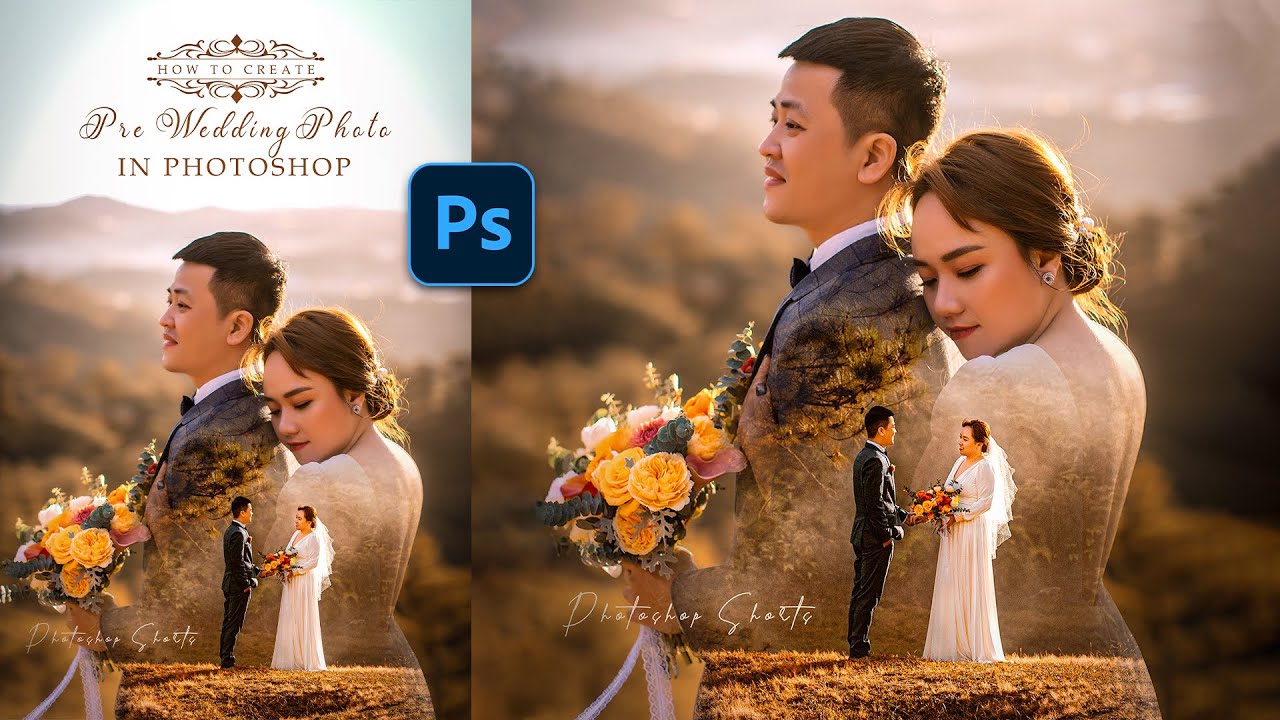
As we conclude our exploration of how to edit photos for a vintage look, it’s clear that this artistic endeavor is both accessible and deeply rewarding. By understanding the core elements of vintage aesthetics, employing the right tools and techniques, and even delving into film emulation and advanced effects, you can consistently achieve stunning results. Whether you’re aiming for a specific decade’s charm or a general sense of timelessness, the ability to imbue your photographs with a vintage feel opens up a world of creative possibilities, allowing you to tell stories that resonate across generations.